
Docs / Face Recognition And Liveness SDK / Cameras And Live View
Cameras And Live View
Add RTSP cameras to the Face SDK Prod edition, draw the areas to analyse, watch live video with names in the dashboard, and use the webcam in the Demo.
In The Demo: The Webcam
The Demo’s Live view uses the browser’s webcam. Choose Webcam, allow the camera, and faces are recognised as you watch. Frames are analysed and discarded.
In Prod: Add A Camera
- Open Settings, Cameras and choose Add a camera.
- Name: shown in Live view, events and webhooks.
- RTSP address:
rtsp://orrtsps://, with the user name and password if the camera needs them. The address is stored encrypted and the password is never shown again. - Save. Recognition starts at once, whether or not anyone watches.
Optionally draw zones: only faces inside them are analysed, which saves work on busy scenes.
Watch Live Video
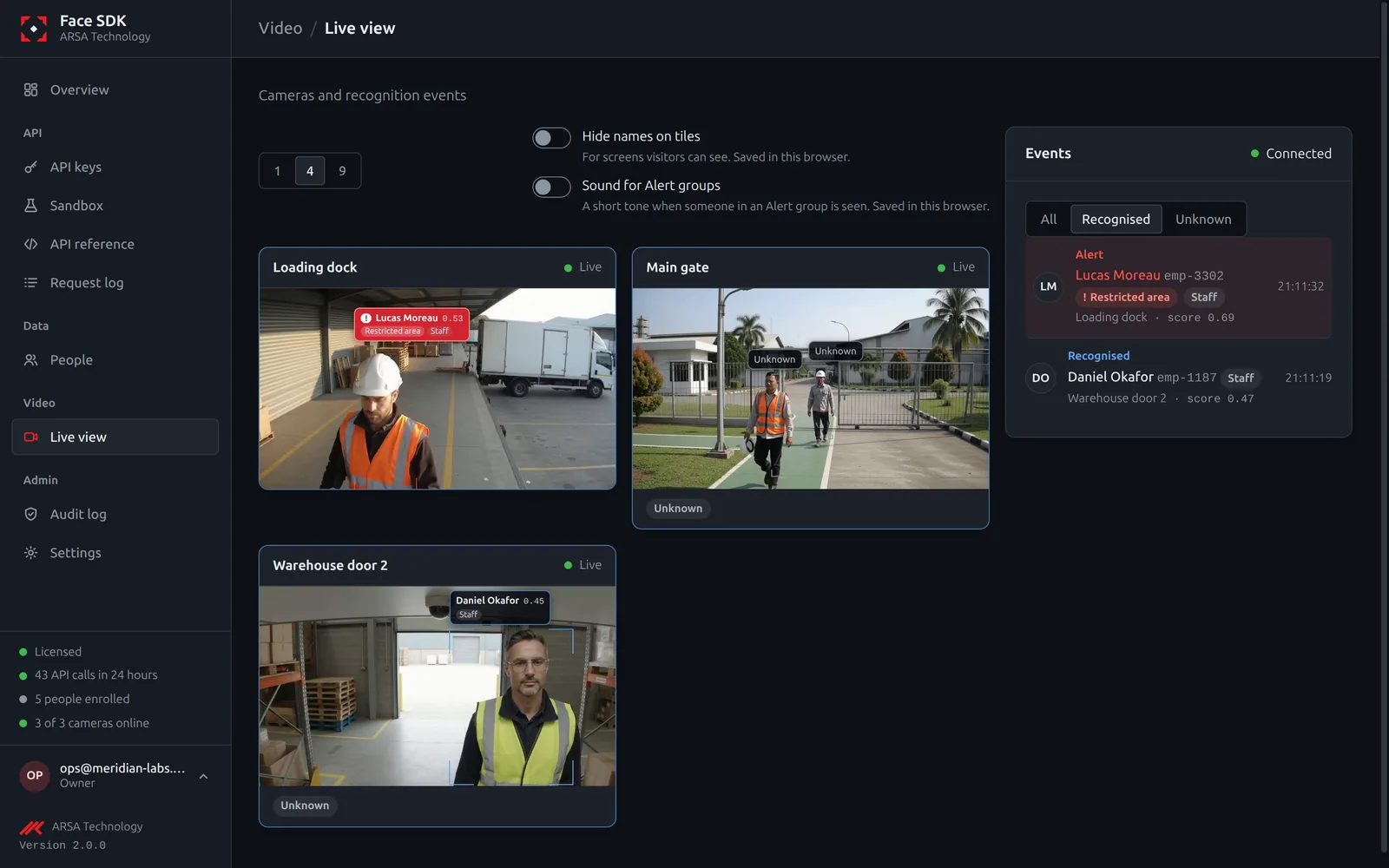
Live view shows each camera with the tracked faces marked and people’s names next to them. The video runs only while someone watches it. It needs the media server of the Compose install (see Install) and UDP port 8000 open to the browsers.
Events
Every recognition becomes an event: the person’s ID or unknown, the score, the camera and the time. Read them:
- live, over the WebSocket
GET /v2/events; - stored, with
GET /v2/events/history?uid=&camera_id=&since=&until=(kept 90 days by default); - pushed to your system by webhooks (Prod), signed with your webhook secret.
Events never hold a photo or a face template.
API v2. Updated 2026-11-12