
Docs / Face Recognition And Liveness SDK / Thresholds And Operating Points
Thresholds And Operating Points
How the Face SDK decides a match, how to choose the false accept rate for verification and identification, and how thresholds follow your gallery size.
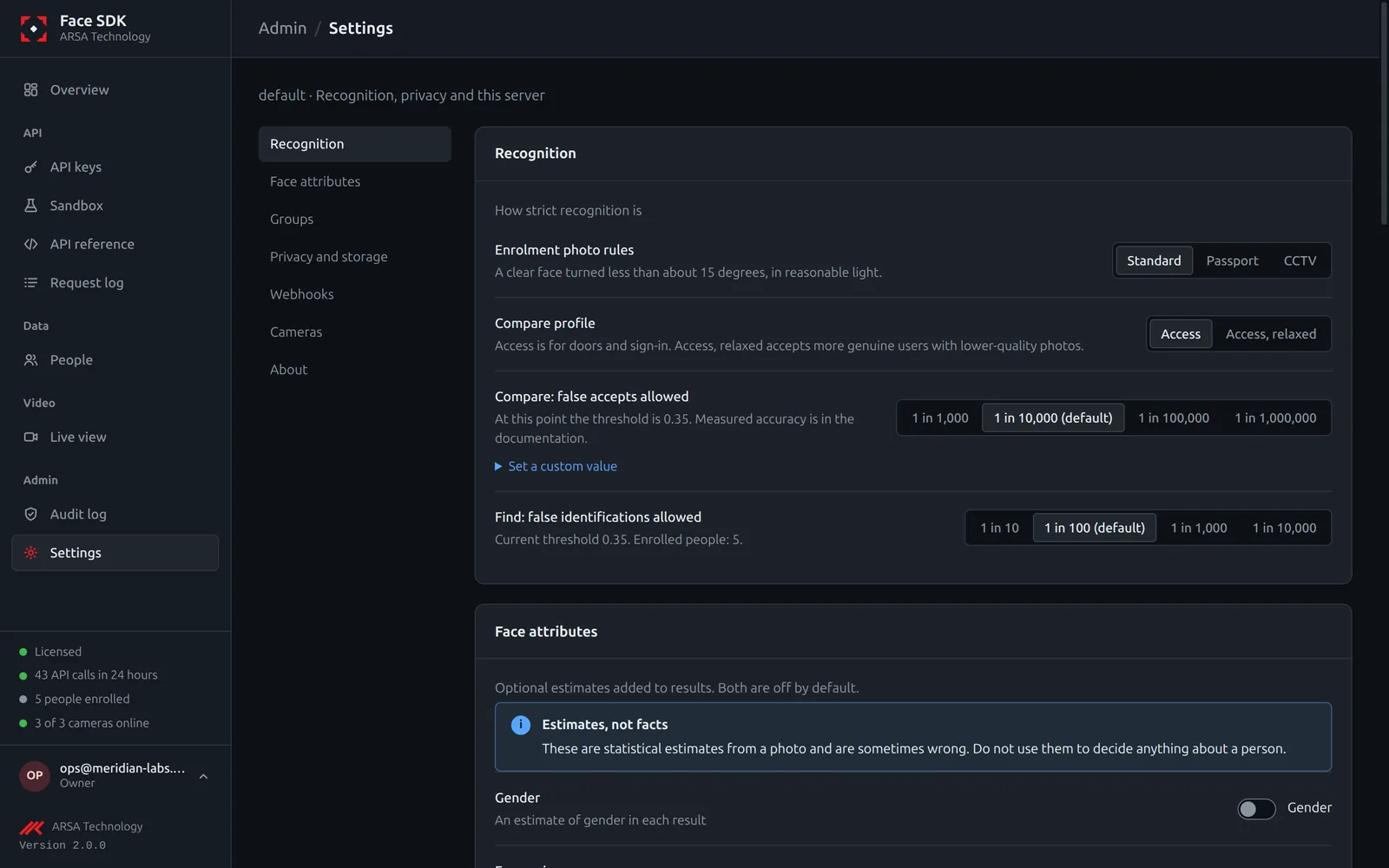
A match is decided by one rule: the similarity of two faces is at least the threshold. You choose how many false accepts you can live with, and the server uses the threshold measured for that rate.
Verification (1:1)
| Setting | Default | Meaning |
|---|---|---|
verify_profile |
access |
access uses the measured threshold for the chosen false accept rate; access-relaxed (light model) accepts more genuine users at 1 in 10,000 |
verify_far |
0.0001 |
False accept rate: 1 in 10,000. Stricter values (down to 1 in 10,000,000) refuse more genuine users |
Change them for your organisation in Settings, Recognition, or with PATCH /v2/tenant/policy. A single call can ask for another point with far or profile.
Identification (1:N)
| Setting | Default | Meaning |
|---|---|---|
identify_fpir |
0.01 |
False positive identification rate: how often a person who is not enrolled is wrongly named (1 in 100) |
Every search compares a face with everyone enrolled, so the threshold rises with the number of enrolled people. The answer shows the threshold used and the gallery size.
Choosing
- Door access and payments: keep 1 in 10,000 or stricter; ask the user to retry when refused.
- Finding people on cameras: a looser identification rate finds more people and names more strangers wrongly; review matches before acting on them.
- Test with your own photos in the Sandbox: your cameras and light decide your results.
Measured accuracy at these points is on the benchmarks page.
API v2. Updated 2026-11-12