
Docs / Face Recognition And Liveness SDK / Verify And Identify Faces
Verify And Identify Faces
Compare two photos, check a photo against an enrolled person, or find who is in a photo among everyone enrolled, and read the decision, score and threshold.
Compare Two Photos (1:1)
For example an ID card photo against a selfie. Each photo must show one face.
curl -X POST http://localhost:8080/v2/verify -H "x-api-key: $API_KEY" \
  -F image1=@id-card.jpg -F image2=@selfie.jpg -F select=largest
select=largest accepts a much smaller second face, such as the small second portrait printed on many ID cards. Without it, a photo with two faces is refused with MULTIPLE_FACES.
Check A Photo Against An Enrolled Person (1:1)
curl -X POST http://localhost:8080/v2/verify/identity -H "x-api-key: $API_KEY" \
  -F uid=emp-1042 -F image=@at-the-gate.jpg
Both calls need the verify permission and answer with a decision:
decision |
Meaning |
|---|---|
match |
Same person: the similarity reached the threshold |
no_match |
Different people |
inconclusive |
A face could not be compared well (too small, turned, dark and so on); the face’s reasons say why |
Every match and no_match carries the similarity and the threshold that decided it, and the operating_point (how many false accepts the threshold allows, such as 1 in 10,000).
Find Who Is In A Photo (1:N)
curl -X POST http://localhost:8080/v2/identify -H "x-api-key: $API_KEY" -F image=@lobby.jpgEvery face in the photo gets a result: identified with the person’s uid and similarity, or unknown. The threshold rises with the number of enrolled people, so false identifications stay at the configured rate as your gallery grows. The key needs the identify permission.
Try It In The Dashboard
The Sandbox runs each of these with your own photos and shows the result in words, plus the exact request, the raw answer and the same call as cURL for your backend.
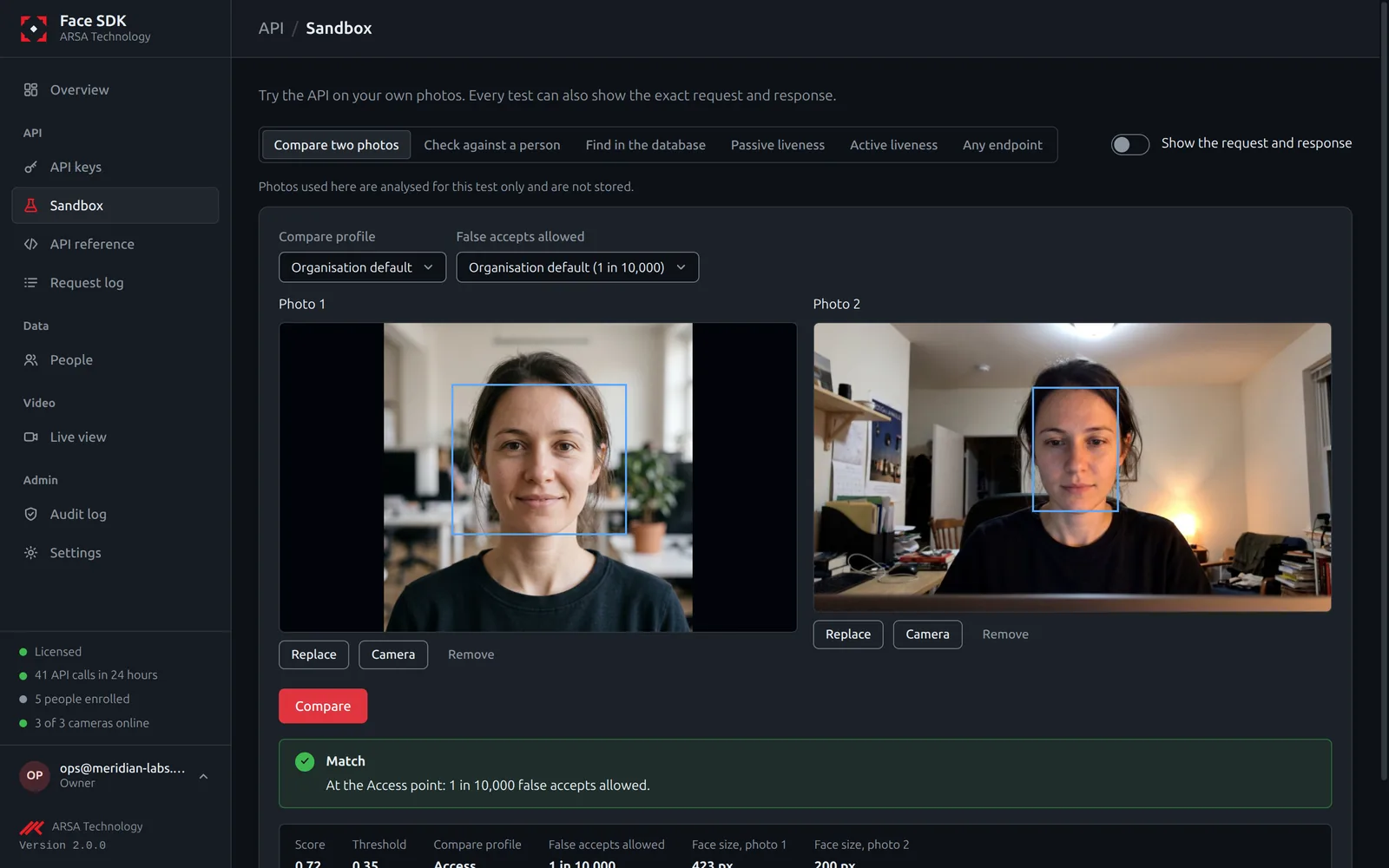
See Thresholds to choose how strict matching is.
API v2. Updated 2026-11-12