
PRODUCTS / FACE RECOGNITION SDK
Face Recognition & Liveness SDK
Face recognition, passive and active liveness, and face analytics, running entirely inside your infrastructure. One container, with the face database, the operations dashboard, and an interactive sandbox included.
Free 14-day demo · Docker on Linux, Windows, or macOS · Licensed product runs fully offline

FREE DEMO
Run The Demo Yourself, Free, For 14 Days
Register an email address, get an activation key, and run the container. No card, no sales call. The demo is the full product with limits applied, same endpoints, same models, same dashboard.
Your licence key is emailed immediately. One key per activation. The demo runs for 14 days and requires an internet connection.
Check your inbox.
Your licence key has been emailed.
Sent to . If it has not arrived in a few minutes, check spam.
Run the container with the key set as ARSA_DEMO_KEY, then open the dashboard on port 8080.
What happens next
- The activation key is emailed to you immediately.
- Pull and run the container with the key set as an environment variable.
- Open the dashboard on port 8080 and call any endpoint from the sandbox.
- The key expires 14 days after activation. Licence pricing is below.
docker run \ -p 8080:8080 \ -e ARSA_DEMO_KEY=\ -v arsa-faces:/data \ arsatech/face-sdk-demo
CAPABILITIES
System Capabilities
Competing on-premise SDKs ship a matcher and leave the rest to you. This ships the face database, the liveness engine, the operations dashboard, the API-key management, and an interactive sandbox, in one container.
01
Face database, managed for you
Enrol an identity from up to four images. List, delete, or wipe. Templates are never exposed over the API; only identifiers are returned.
02
1:N identification
Detect every face in an image and match each against your enrolled identities, with ranked alternate candidates above threshold.
03
1:1 verification, stateless
Compare two images directly without touching the database. ID photo against selfie, with no enrolment and nothing stored.
04
Passive anti-spoof
Single-image presentation-attack detection. Printed photo, screen replay, mask, no user action required.
05
Active liveness over video
Randomised challenge-response. The user performs a head-movement sequence and the system verifies both the order and the anti-spoof result.
06
Face analytics
Age, gender, and expression estimation with no recognition and no database access. Nothing stored, no identity consulted.
| Capability | Endpoint |
|---|---|
| Enrol identity, 1 to 4 images | POST /face_recognition/register_face |
| Identify, 1:N | POST /face_recognition/recognize_face |
| Verify two faces, 1:1 | POST /face_recognition/validate_faces |
| Delete identity | DELETE /face_recognition/delete_face |
| List identities | GET /face_recognition/view_db |
| Age, gender, expression | POST /face_analytics |
| Passive anti-spoof | POST /face_liveness |
| Active liveness challenge | POST /face_liveness_active/request |
| Active liveness + identify | POST /face_liveness_active/submit_and_recognize |
DASHBOARD
Everything an Operator Needs, In The Same Container
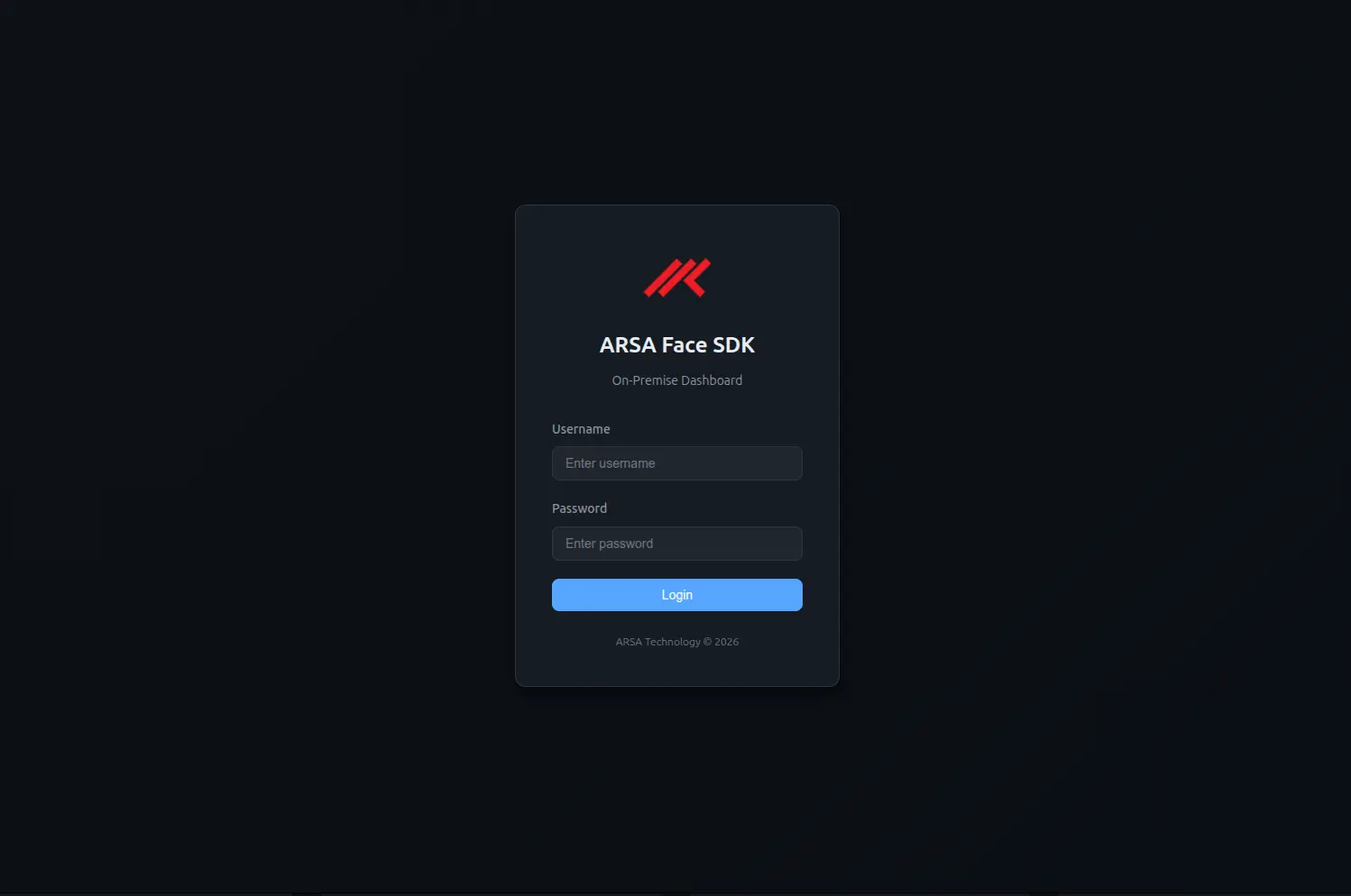
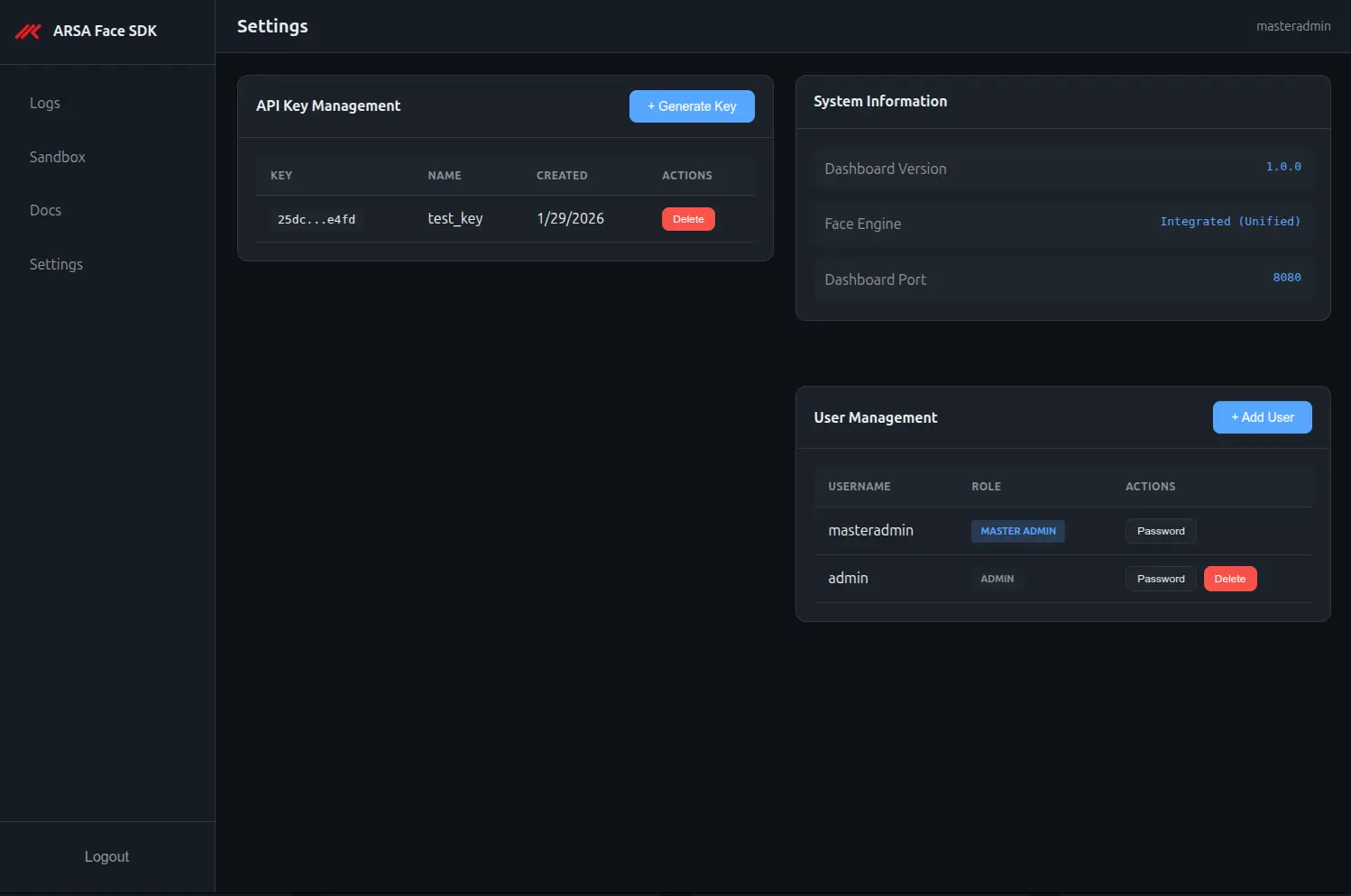
No separate console to deploy, no second service to maintain. The SDK ships its own web dashboard on the same port as the API.
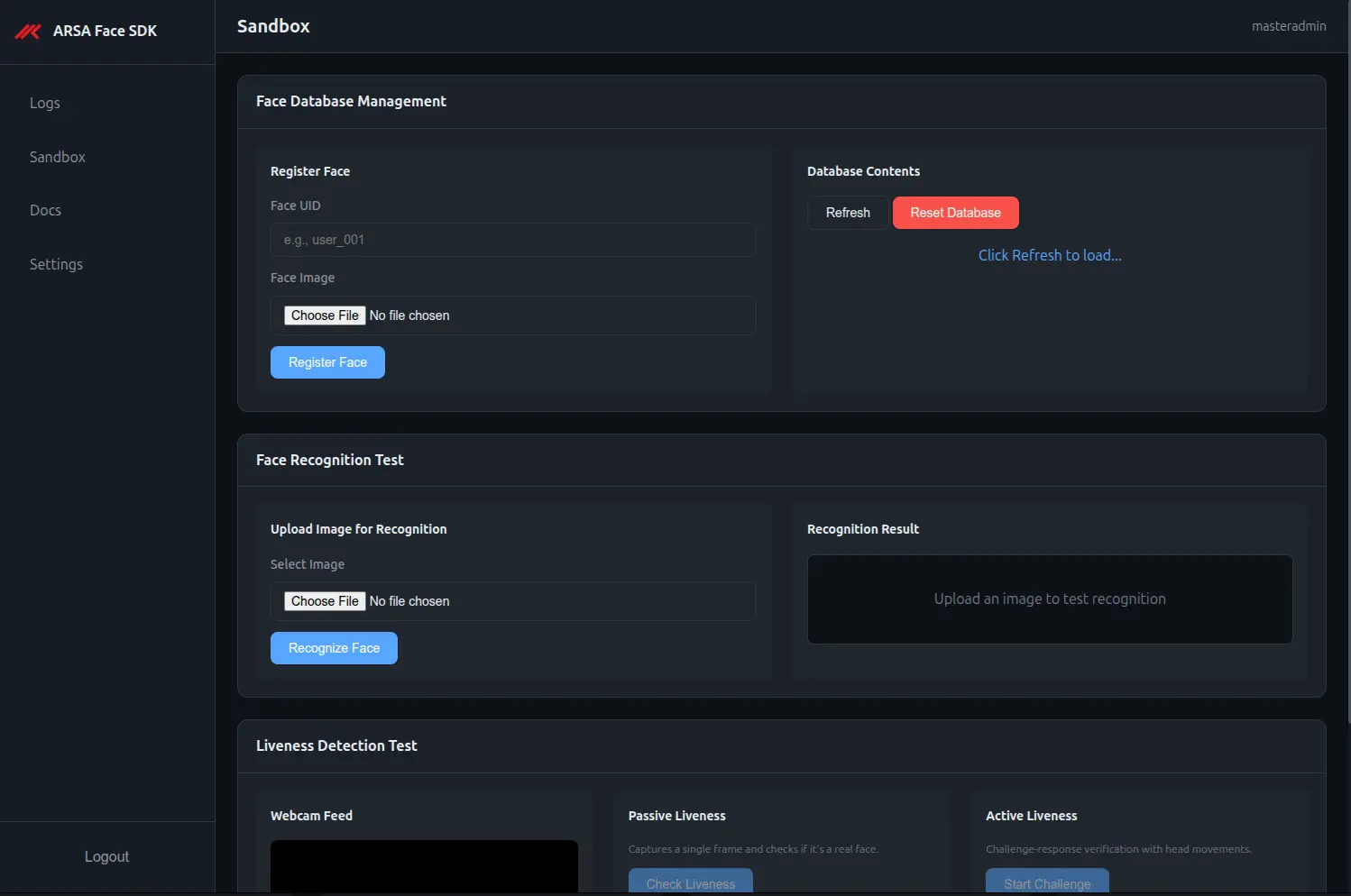
Sandbox
Upload an image, call any endpoint, see the raw request and response. Integrate against a working example rather than a specification.
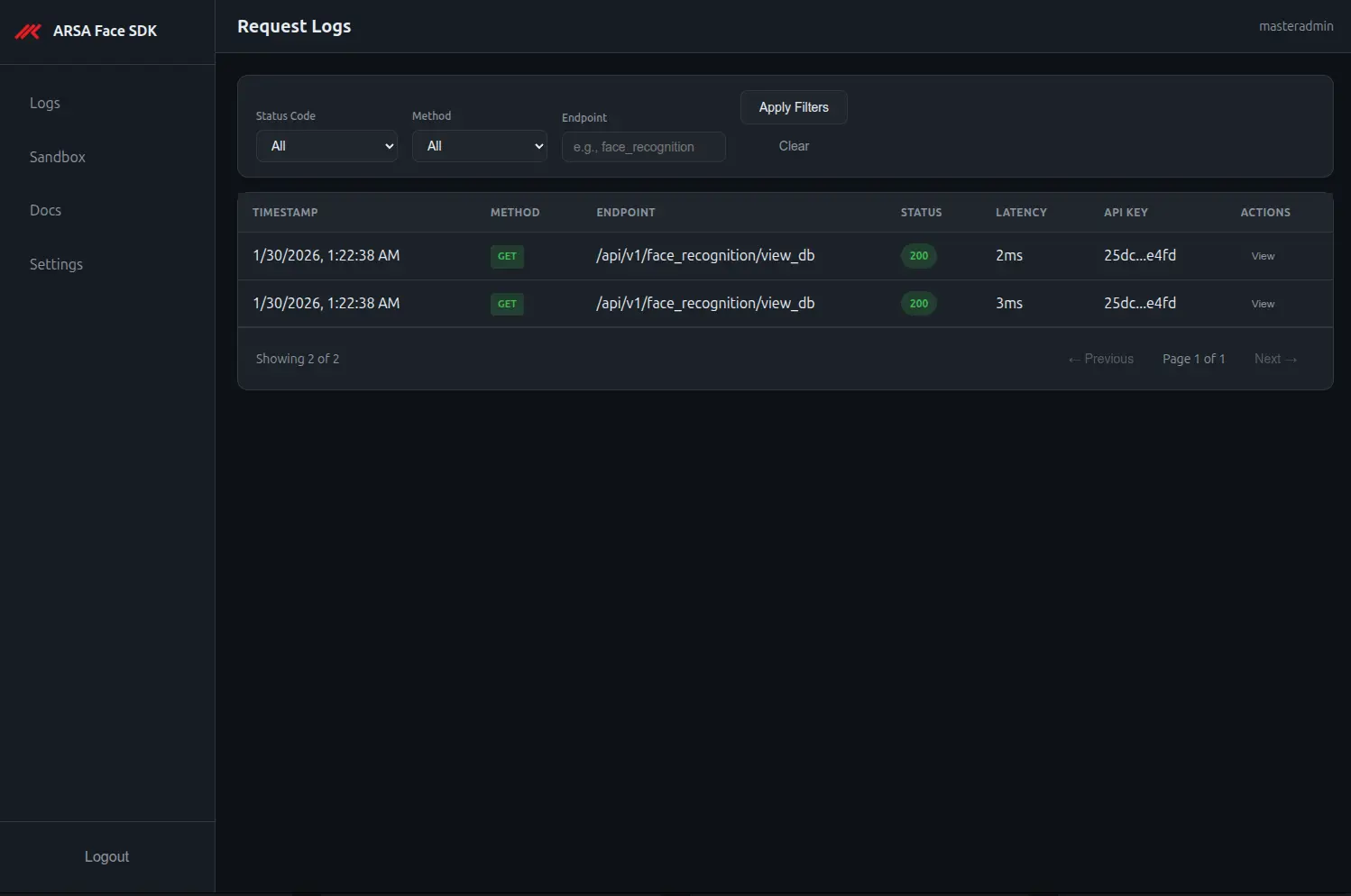
Request logs
Every API call logged with method, endpoint, status, latency, masked key, and client IP. Filterable and paginated.
Request and response bodies are never persisted. Biometric payloads do not reach the log store.
API-key management
Issue, name, and deactivate keys from the interface. Each key is its own isolated tenant.
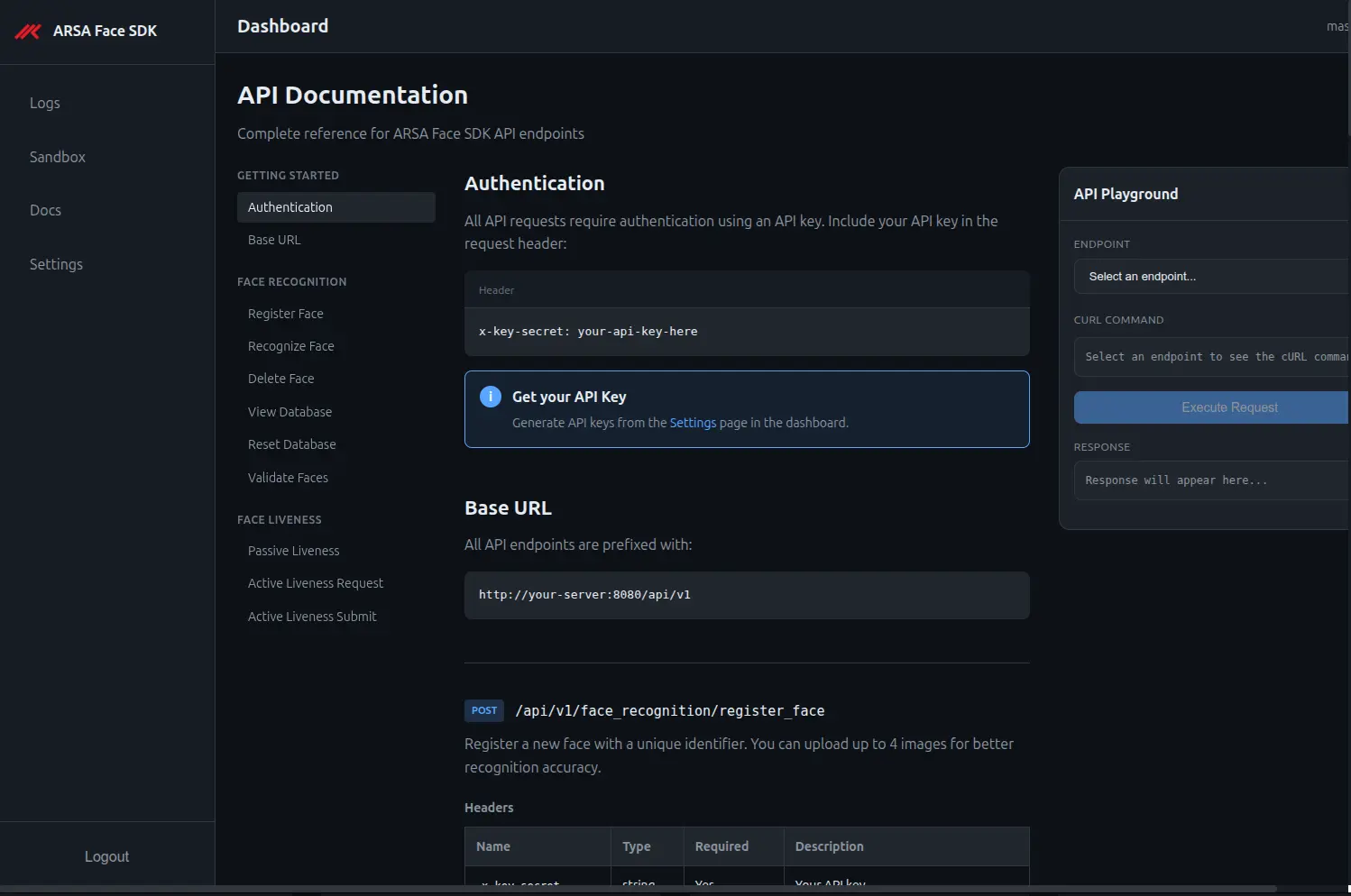
API reference
OpenAPI served from the running instance. The documentation is always the version you are running.
LICENSING
Pricing
| Licence | Price | Scope |
|---|---|---|
| Free demo | $0 | 14 days, one machine, 100 enrolled identities, 50 API calls per hour. Email registration required; needs an internet connection. |
| Developer | $1,490 / year | One machine, up to 1,000 enrolled identities. Full liveness. Non-production or small production. |
| Node-locked | $5,900 / year | One machine, unlimited internal enrolments. Dashboard, sandbox, API-key management, support. |
| Multi-node | $14,900 / year | Multiple machines under one agreement. HA supported. |
| Perpetual multi-machine | $34,000 one-time | Plus 18% annual maintenance. |
| Air-gapped / classified | Request a quote | Requires site survey. |
MANAGED
Managed Deployment
The same SDK, running on infrastructure we provision, monitor, and maintain, in the region you choose. Single-tenant. Your face database is never co-located with another customer’s.
Managed Starter
- Node-locked SDK licence
- 8 vCPU, 24 GB instance
- Monitoring, patching, backups
- Business-hours support
Managed Growth
- Node-locked SDK licence
- 12 vCPU, 48 GB instance
- Monitoring, patching, backups
- Business-hours support
Managed Scale
- Multi-node SDK licence
- 16 vCPU, 64 GB instance
- High availability
- Priority support
How managed pricing works
Exact pricing is quoted by region and by volume: peak requests per second, maximum enrolled identities, and retention requirements. Infrastructure cost varies enough between regions that a single published figure would be wrong in most of them.
Regions: European Union, United States, Asia-Pacific. Region is fixed for the term; moving mid-term is a re-provisioning and is quoted separately.
12-month minimum term. Single-tenant instance in every tier. ARSA does not access enrolled data.
Each API key on your instance is its own isolated namespace, so a single managed instance can serve multiple applications or business units without their face databases touching.
REQUIREMENTS
System Requirements
| Operating system | Any OS with Docker: Linux, Windows, macOS |
| Delivery | Signed container images |
| Service | Single REST API service and dashboard on one port, default 8080 |
| Bind address | Configurable via DASHBOARD_HOST / DASHBOARD_PORT |
| CPU inference | Supported |
| Memory | 8GB |
| Storage | On-disk |
| Image formats | Enrolment accepts JPEG and PNG. Other endpoints accept any decodable format; JPEG and PNG recommended. |
| Video format | MP4 with H.264 recommended, single face in frame |
| Network | None required for inference. Offline licence activation supported. |
| Latency, image endpoints | Hundreds of milliseconds |
| Latency, active liveness | Several seconds; scales with video length |
| Client timeout | 30 seconds minimum on video endpoints |
Deployment requirements the buyer must handle
| TLS | Terminate at a reverse proxy. The service speaks plain HTTP; API keys and session cookies travel in headers. |
| CORS | Open by default. Restrict, or front the service with a proxy, before exposing beyond a trusted network. |
| Rate limiting | Not built in. Add at the proxy layer for any internet-facing deployment. |
| Temp storage | Video uploads are buffered to disk during processing and removed afterward. Size the temp filesystem for expected concurrency. |
| Backups | Back up the template store and the dashboard database together. They are separate stores. |
FAQ
SDK Questions
How does the free demo work?
Register an email address, receive an activation key, and run one Docker command. Free for 14 days, limited to 100 enrolled identities and 50 API calls per hour. Every capability is the full product, 1:N identification, 1:1 verification, passive and active liveness, face analytics, the dashboard, and the sandbox.
Does the demo container connect to ARSA?
Yes, and this is the one place the demo and the licensed product differ. The demo validates its activation key with us, so it needs an internet connection for the 14 days it runs and will stop working without one. Face images, templates, and match results are still processed entirely on your machine and are never transmitted.
The licensed product makes no such call. No activation check, no outbound connection at inference time, no telemetry. If your evaluation has to happen inside an isolated network, ask us for an offline evaluation licence.
What is the difference between passive and active liveness?
Passive analyses a single image for the signals that distinguish a live face from a photograph or a screen. It requires no user action and takes a few hundred milliseconds. Active issues a randomised head-movement sequence, records the user performing it, and verifies both the order of the movements and the anti-spoof result across the video. Active is stronger; passive is invisible. Both are included in every licence.
Can I identify someone and verify liveness in one call?
Yes. submit_and_recognize returns the liveness verdict and the identity together, matching across every frontal frame in the video rather than a single still. Recognition is skipped entirely when liveness fails, so a spoofed submission is never identified.
Is there a console, or do we build our own?
The SDK ships its own dashboard on the same port as the API: an interactive sandbox, request logs, API-key management, and a live OpenAPI reference. No second service to deploy.
What does the request log store?
Method, endpoint, status code, latency, masked API key, and client IP. Request and response bodies are never persisted, so biometric payloads do not reach the log store.
How is data separated between applications?
Each API key is its own isolated tenant with its own face database namespace. Identities enrolled under one key are invisible to every other key on the same instance. Note that this makes the key a long-lived credential, deleting or rotating it makes the identities enrolled under it unreachable, so plan re-enrolment before any rotation.
What is the difference between the Developer and Node-locked licences?
Developer is limited to 1,000 enrolled identities on one machine and is intended for integration work and small production deployments. Node-locked removes the identity limit and adds a contracted support term on the same single machine. Neither has the demo’s time limit, rate limit, or connectivity requirement.
How is the licensed product delivered?
By email after purchase: the container image reference, your licence file, and installation instructions.
What does managed deployment include, and where does it run?
Provisioning, monitoring, patching, backups, and support on a single-tenant instance in a region you choose, European Union, United States, or Asia-Pacific. Your face database is never co-located with another customer’s. From $590 per month on a 12-month minimum term.
Can ARSA see our face data on a managed instance?
No. The instance is single-tenant and enrolled data is yours. ARSA operates the infrastructure and does not access the contents of the face database.
Can the licensed SDK run without any internet connection?
Yes. There is no outbound call at inference time and no telemetry. Licence activation and model updates are both supported offline. This applies to the licensed product only, the 14-day demo requires connectivity.
What do we need to configure before exposing it?
Terminate TLS at a reverse proxy, restrict CORS, add rate limiting at the proxy layer, and change the default administrator credentials and signing key. The service is built to sit behind your own infrastructure, not directly on the internet. Full deployment requirements are in the system requirements section above.
Run it before you buy it.
14 days, one Docker command, no card. Register an email and the activation key arrives immediately.