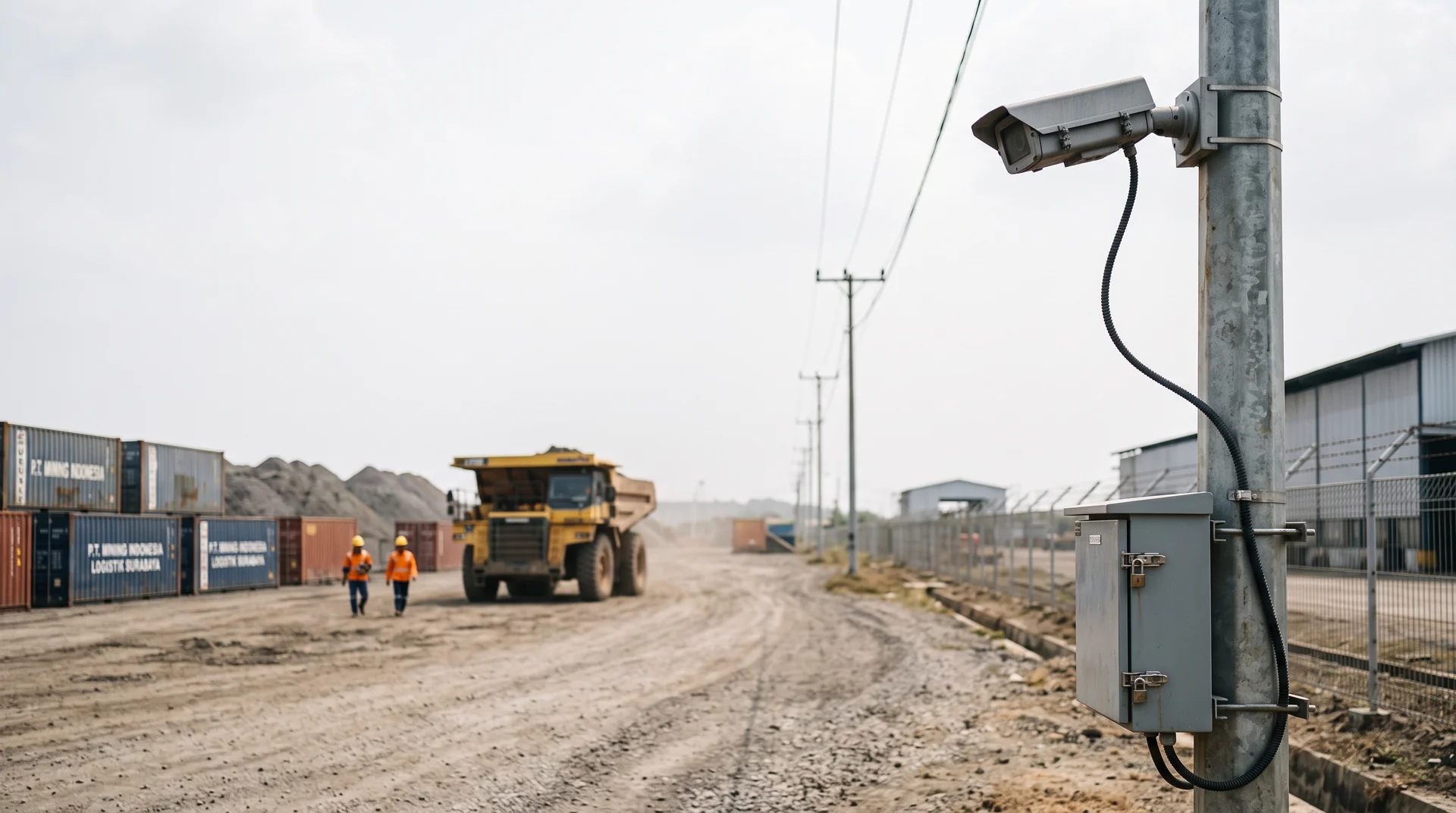

A mine access road, a palm oil mill, an offshore support base, a substation four hours from the nearest city. Each of these has cameras, a safety obligation, and an uplink that was sized for email and a VoIP handset. This article covers what changes in a video analytics design when the link off site is the scarcest resource on the list.
UPLINK ARITHMETIC
Why Remote Sites Break Cloud Video Analytics First
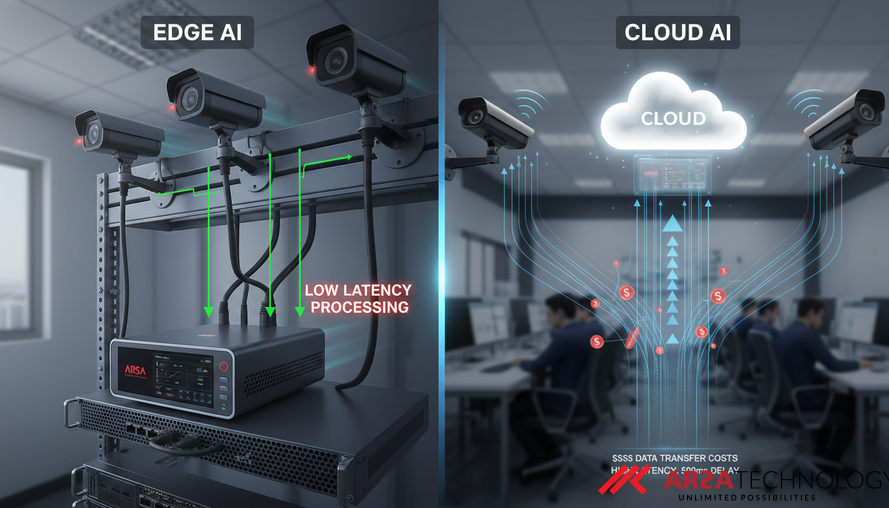
A cloud analytics architecture asks every camera to send its full video stream off site, continuously, for the life of the deployment. The arithmetic is unforgiving. A 1080p H.264 camera at 15 fps runs at roughly 2.5 Mbps, which is the figure Genetec publishes for that exact configuration in its system requirements. Twelve cameras at the gate, the loading bay and the tank farm come to 30 Mbps of sustained upload, every hour the site is manned.
Now look at what a remote site actually has. Starlink business plans are advertised at 15 Mbps or more on the upload side, with typical figures in the 10 to 30 Mbps range, and geostationary VSAT services are usually sold with a committed information rate far below that. The twelve-camera site consumes the entire advertised upload budget on video alone, before anyone opens a SCADA dashboard or dials in for a toolbox talk. A 4 MP camera makes it worse: the same stream runs at 4.4 Mbps and 47.5 GB per camera per day, against 2.48 Mbps and 26.7 GB at 2 MP.
The failure that follows is predictable. The link saturates, the encoder drops frames to fit, and the analytic that was specified against a 15 fps stream is now inferring from whatever survived transit. Detection accuracy falls, and the fall is invisible until someone audits a near-miss and finds no event was logged.
WHAT ACTUALLY NEEDS TO LEAVE
Analytics On Site, Metadata Over The Link
An edge deployment inverts the flow. The camera stream travels from the camera to an appliance in the same cabinet or the same comms room, over Cat 6 at 1 Gbps, where bandwidth is cheap. Inference happens there. What crosses the satellite or cellular link is analytic metadata: counts, events, timestamps, and where you enable it, small cropped images of the detection itself.
The size difference is the whole argument. Twelve 2 MP streams are 320 GB of video per day. The event record for the same twelve cameras is counts and breach events, measured in megabytes, and it fits inside the spare capacity of a link that could never have carried the video.
The second consequence matters more to a safety manager than to an IT manager. Because detection runs on site, a PPE breach at the gate fires locally, into the dashboard, a siren relay or a webhook, while the person is still standing at the gate. The alert does not wait for a round trip to a data centre, and it does not stop firing when the uplink drops. The ARSA AI Box runs fully offline by default, and cloud connectivity is an option you switch on rather than a dependency you inherit.
Say plainly what this does not solve. Edge processing gives you no long-term video retention, because the appliance analyses streams and does not record them. Storage stays with your existing VMS or NVR. Remote support sessions and model update packages still need a link, or an offline update file carried to site. And an appliance in a hot cabinet at a remote site is a piece of hardware that someone has to power, cool and occasionally reboot.
SITE CONDITIONS
Three Connectivity Profiles, Three Designs
Low connectivity covers three different site conditions, and they lead to three different designs. Identify which one you have before specifying anything.
Intermittent Link
The link works most of the day and drops during weather, peak load or a scheduled backhaul window. Detection and alerting run locally throughout. Event metadata queues on the appliance and forwards when the link returns. The design question here is how much local queue depth you need to cover the longest outage you have actually measured, which is usually longer than the one you remember.
Shared And Contended Link
The uplink exists and is adequate on paper, and it is already carrying ERP traffic, remote engineering sessions and voice. Video analytics gets whatever is left, which varies by hour. The ARSA-CVS-001 requirement that the access switch uplink stay below 70 percent utilisation at peak applies here, including the duplicated stream where your recorder and the analytics appliance both pull from the same camera.
No Link At All
An air-gapped or genuinely unconnected site: an exploration camp, a secure facility, a vessel. Everything runs on site, the dashboard is local, and model updates arrive as an offline package on physical media. Nothing about the analytics degrades. What you lose is remote support, so commissioning has to be right the first time.
SPECIFICATION
What A Remote Site Has To Provide
The camera and site requirements in ARSA-CVS-001 do not relax because a site is remote. A helmet still needs 262 pixels per metre at the detection line, a hi-vis vest still needs 153 PPM, and neither number moves because the nearest town is three hours away. The table below is the subset that remote and outdoor deployments fail most often.
| Parameter | Requirement | Why It Matters More At A Remote Site |
|---|---|---|
| Camera resolution and frame rate | 2 MP minimum, 4 MP recommended, 15 fps minimum | A replacement camera is a multi-day logistics event, so specify once and correctly |
| Helmet detection reach | 262 PPM, 6.3 m on 2 MP with a 60 degree lens | Long standoffs on open ground are the most common remote-site failure |
| Vest detection reach | 153 PPM, 10.9 m on 2 MP with a 60 degree lens | Colour-dependent, so it needs white light at night and stops working under infrared |
| Camera tilt | Optimal 10 to 25 degrees, maximum 35 for helmets and 40 for vests, above 45 prohibited | High mounts chosen for tamper protection push tilt past the limit |
| Light at target | 50 lux minimum for PPE analytics | Unlit yards need a lighting line item in the budget |
| Outdoor cabinet | IP66, IK08 recommended, minus 10 to plus 50 degrees C | Dust, wet season and vibration on pole mounts |
| Appliance environment | UPS with 15 minutes hold-up, under 35 degrees C, clear airflow | Generator sites see more power events than grid sites |
| Camera to appliance path | Under 20 ms latency, packet loss under 0.1 percent, Cat 6, 1 Gbps | Keeps the demanding link entirely inside the site boundary |
The accepted reference case published in the standard is a 3.5 m mount at 6.0 m standoff with 22 degrees of tilt. It is worth using as the starting geometry for a gate position and adjusting from there. The lens and field of view visualiser will show you what a given focal length covers before anyone climbs a pole, and the full standard states every figure and its basis.
FAQ
Does The System Keep Detecting When The Satellite Link Drops?
Yes. Detection, alerting and the local dashboard all run on the appliance. Cloud connectivity is optional and off by default. What a dropped link costs you is remote support access and the ability to pull model updates until it returns.
How Much Bandwidth Does An Edge Deployment Actually Consume?
Only what your event volume and configuration produce: counts, event records and optionally small cropped snapshots. The video itself stays inside the site network. Compare that against 26.7 GB per camera per day at 2 MP, or 47.5 GB at 4 MP, for streaming the raw video off site.
Can One Appliance Cover A Whole Remote Site?
It depends on the camera count and the cabling. The AI Box Mini handles up to three streams and suits one unit per gate or per building. The AI Box Server handles up to 25 streams and suits a site where the cameras already route back to one comms room. Above 25 streams, the Server Pro configuration is quoted by stream count and frame rate.
Should We Pull Streams From The Existing NVR To Save Cabling?
It is supported, and pulling from the camera directly gives a better result. NVR re-streams are transcoded, frame dropped and time shifted, which degrades exactly the detail an analytic depends on. If the NVR path is unavoidable, confirm the camera allows enough concurrent RTSP clients first, because the recorder usually occupies one slot already.
How Do We Verify Camera Positions Without Flying Engineers Out?
A Remote Camera Design Review takes your camera schedule, mounting heights and distances and returns a pass or fail against every requirement in ARSA-CVS-001, in one week, for up to 20 cameras. Where a site needs physical verification, the On-Site Camera Survey covers up to 50 cameras. Either fee is deducted from the project fee if you contract within 90 days. The full scope and fees of both sit on the services page.
What Is Genuinely Out Of Scope?
Video retention, cameras, switches, cabling, lighting and installation. The appliance analyses streams and stores event metadata and snapshots locally. Long-term footage remains your VMS or NVR responsibility, and the site infrastructure remains a separate line item or a turnkey engagement.
CLOSING
Design The Link Out Of The Critical Path
A remote industrial site can run the same PPE, traffic and people analytics as a city facility, on the cameras already installed, provided the architecture stops treating the uplink as a dependency. Start by confirming the camera positions can meet the standard, then size the appliance to the stream count.
Review the appliance options, camera limits and pricing on the ARSA AI Box Series page.
Sources: Genetec system requirements, Satellite Internet Speeds 2026: Starlink vs GEO Latency