
Free AI Assessment On Your Own CCTV Footage
Send us up to three one-minute clips from the cameras you already have. An ARSA engineer runs our full detection models on them and sends back an annotated clip, a report with the numbers, and a 30-minute call to walk you through it, within 3 business days.
There is nothing to install and nothing to buy. Your footage is used only for your assessment and deleted after 14 days.
- 3clips at most
- 60 sper clip
- 500 MBper clip
- 3business days to results
What We Can Assess On Your Footage
Pick the use case closest to your site; the engineer runs the matching ARSA model on every clip you send.
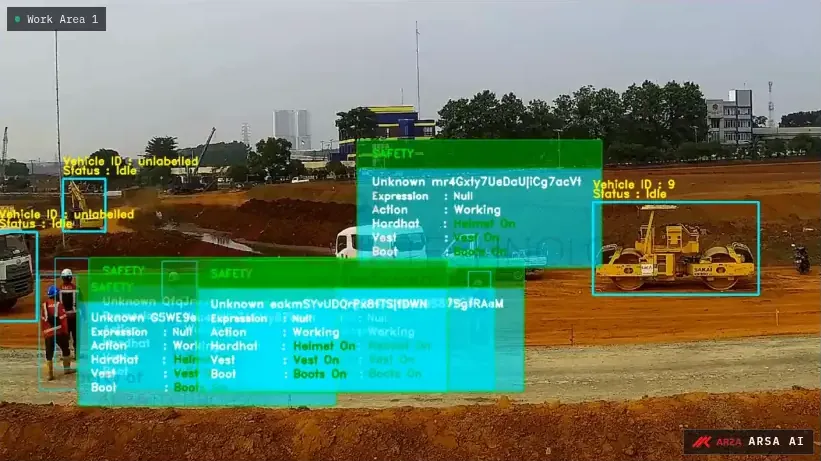
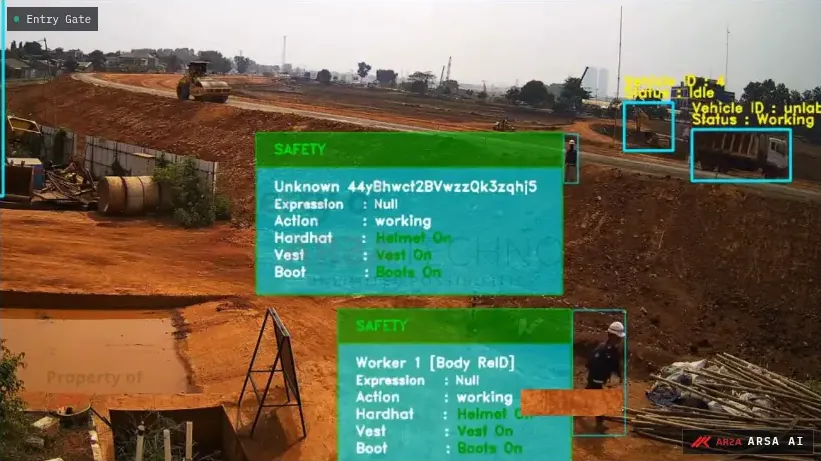
PPE And Safety
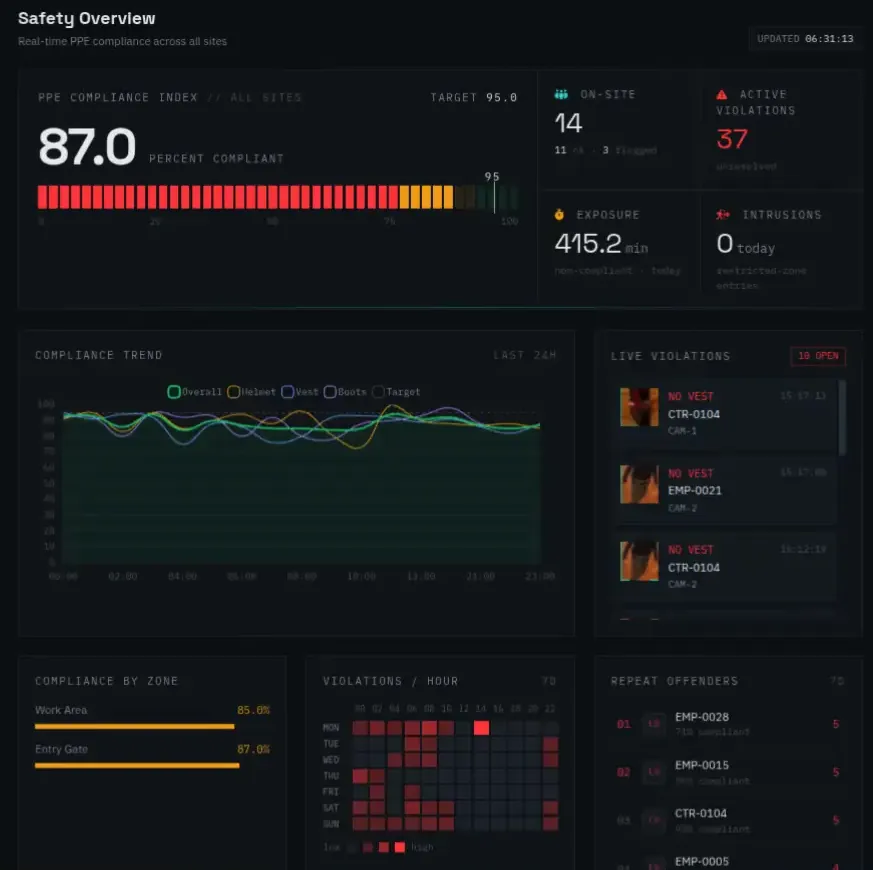
Helmets, safety vests and people inside restricted zones. The report shows compliance per camera, violations per hour and a snapshot of each kind of violation.
Start Your Free Assessment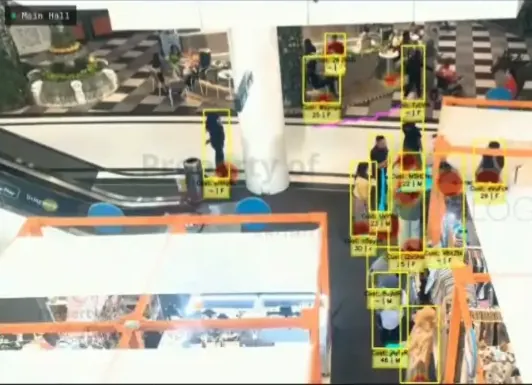
People Counting
Entries and exits, queue length and how long people stay. The report compares the model's count with a manual count of the same clip.
Start Your Free Assessment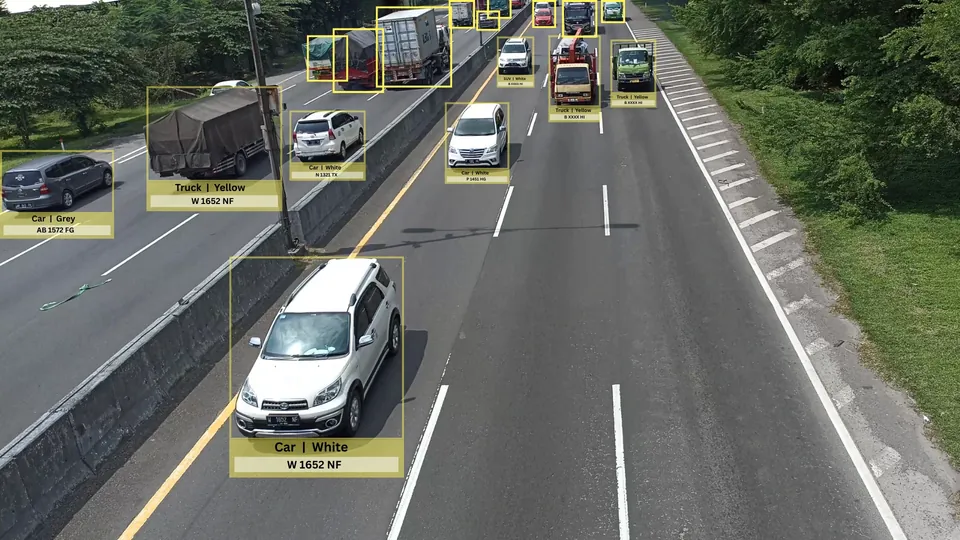
Vehicle Counting
Vehicles by class and direction, and when traffic builds up. The report compares the counts by class with a manual count.
Start Your Free Assessment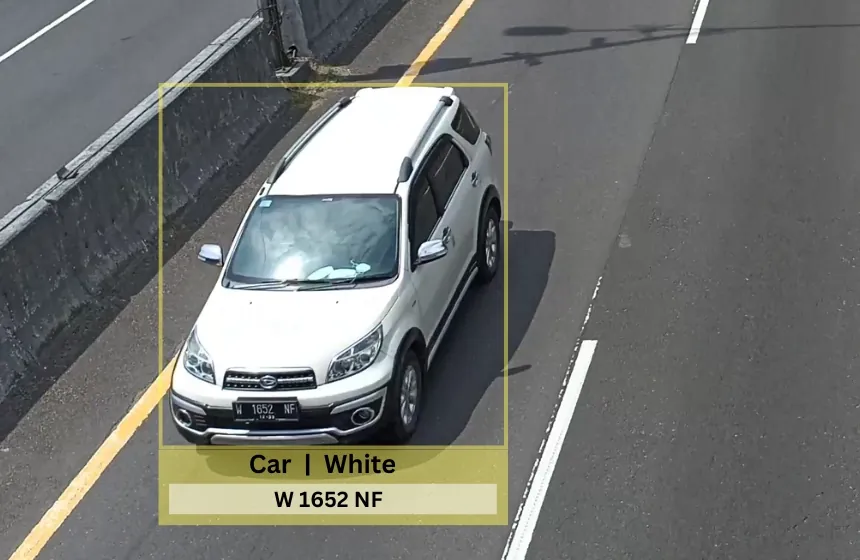
Licence Plates Or Something Else
Licence plates, or an object or event you name. The report says what your camera angle allows today and what would have to change for a reliable result.
Start Your Free AssessmentHow The Free Assessment Works
Four steps, and the only thing you do is export the clips.
Export Your Clips
Up to three clips of one minute each, from the camera angles you would actually use, at a busy time of day.
Send Them Here
Fill in the form below and attach the clips. They upload straight from your browser to ARSA's private storage.
An Engineer Runs The Models
An ARSA engineer processes every clip with the full model for your use case and checks the result by hand.
Results And A Call
Within 3 business days you receive the annotated clip and the report, and we book a 30-minute call to go through them.
What You Get Back
Three things you can forward to your director or your client the same day.
An Annotated Clip
Your own footage with every detection drawn on it, so anyone can see what the system would have caught.
A PDF Report
The numbers for your use case, in English or Bahasa Indonesia, plus what a full deployment would add for your sites.
A 30-Minute Call With An Engineer
We go through the results, answer questions on cameras and placement, and tell you honestly whether ARSA fits your site.
Sample Report Page
PPE Assessment, 4 cameras, 1 minute each
- 38people detected
- 81%helmet compliance
- 6violations in the busiest hour
What Makes A Good Clip
The assessment is only as good as the footage, so send clips that look like your real operation.
The Real Angle
The camera's normal view, the one you would actually use.
2 MP Or More
2 MP is the minimum and 4 MP gives better results.
15 fps Or More
At the camera's original resolution and frame rate.
A Busy Minute
When people or vehicles are actually in view. Trim longer clips first.
One minute per clip is enough for us to judge detection. The full camera and placement guidance is on the system requirements page.
Exporting From Your Recorder
Most recorders save clips in their own format by default, which our upload cannot read. Choose MP4 when you export.
Play back the camera in the web interface or iVMS-4200, select the time range and download it as MP4.
Export from SmartPSS or DSS and choose MP4 instead of DAV.
Export from EZStation or the web interface as MP4.
Other recorder, or only its own format on offer? Send the form without clips and we will help you get the footage out.
Request Your Free Assessment
Tell us about your site and attach up to three clips. Every field without the word optional is required.
Your Footage Stays Private
Your clips are used for your assessment and nothing else, and they are deleted 14 days after you send them.
- Day 0You upload
- Day 1 to 3Results and call
- Day 14Clips deleted
The clips go from your browser to a private folder that only ARSA engineers can open. We never use them to train our models, never share them, and never run face recognition on them. You can ask us to delete them sooner at any time. Before you send footage, make sure you are allowed to share it, for example because a CCTV notice is in place at your site. Details are in our privacy policy.
From Assessment To Deployment
When the assessment shows a fit, the same models run on your own hardware, on site.
- Site survey
- Camera check
- Install on site
- Tuning on your footage
- Handover
- Processed On SiteVideo stays inside your network once deployed.
- Works OfflineNo internet connection is needed to run.
- Assessment Clips Stay PrivateThe clips you send are never used to train our models, and are deleted after 14 days.
A deployment follows the same five steps every time, on an AI Box or on your own servers.
ARSA has delivered restricted-area security analytics for Indonesia's Ministry of Defense, queue and service analytics for Bank Rakyat Indonesia and plate recognition for the National Police's vehicle registration. See the products behind them: the ARSA AI Box and AI Video Analytics Software.
Frequently Asked Questions
Is the assessment really free?
Yes. There is no fee and no obligation to buy. We offer it because seeing the system work on your own cameras answers most questions faster than a sales meeting.
Who sees my footage?
Only the ARSA engineers who process your request. The clips are stored in a private folder, used only for your assessment, never used for training, and deleted 14 days after you send them.
How long does it take?
You receive the annotated clip and the report within 3 business days of sending the form, and we book the 30-minute call at a time that suits you.
My recorder exports .dav or another format. What do I do?
Export as MP4 instead; Hikvision, Dahua and Uniview recorders all offer it. If yours does not, send the form without clips and an engineer will help you get the footage out.
Do my cameras need to meet a minimum?
Cameras of 2 MP at 15 fps are the minimum and 4 MP is recommended. Angle and mounting height matter as much as resolution; the system requirements page has the full guidance, and the report tells you if a camera needs to move.
Can you assess face recognition?
Not with this assessment; we do not run face recognition on visitors' footage. For face recognition, the Face Recognition SDK has its own free trial that runs on your own server.