
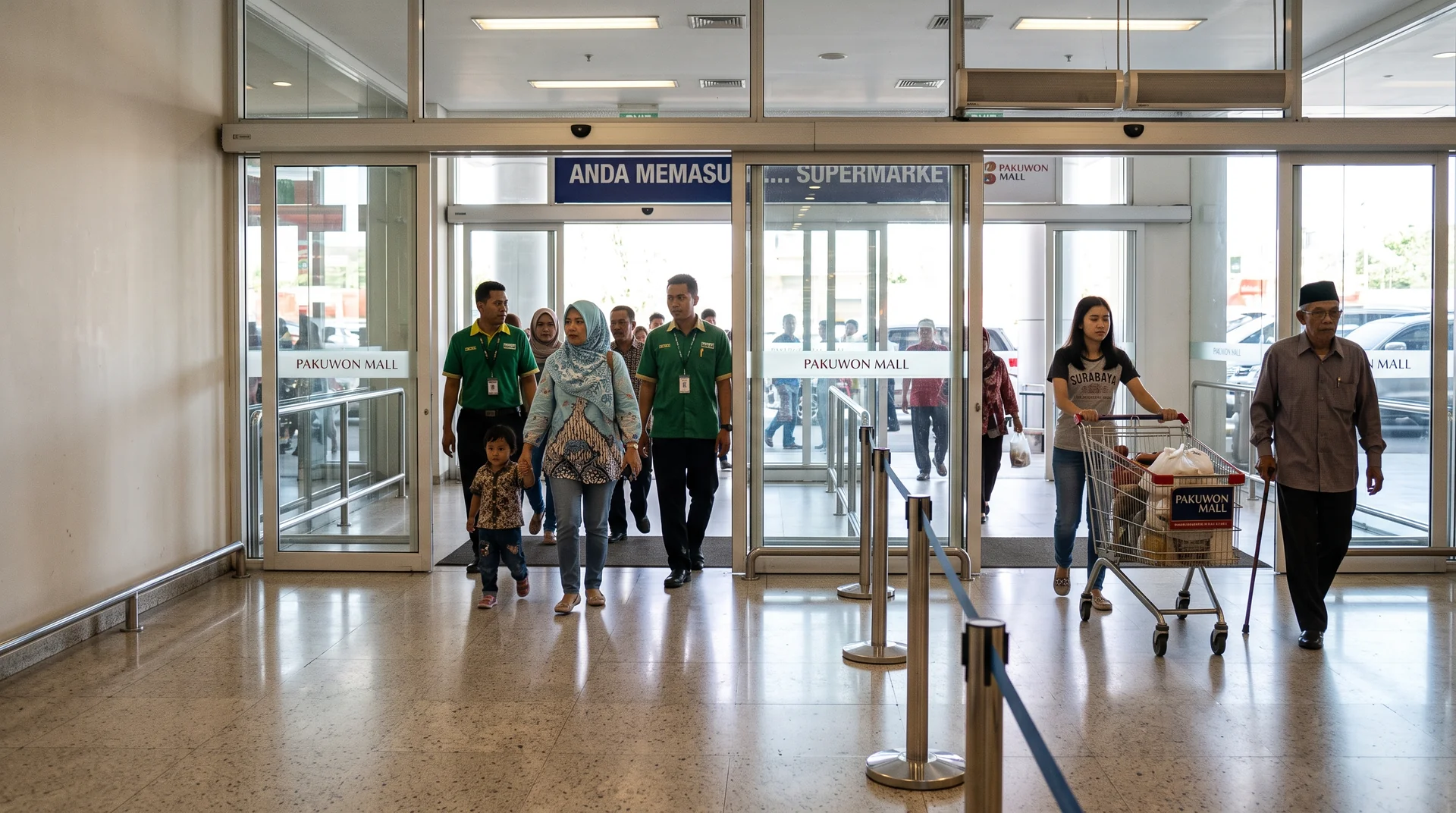

A hypermarket in an Indonesian mall often has three ways in. One is the concourse door from the mall, one is the street door from the drop-off, and one is the travelator up from basement parking. If you count only the main door, your conversion rate is built on a fraction of your visitors. If you count all three with poorly placed cameras, you get a number that looks precise and is wrong in ways the dashboard will never show you.
THE PROBLEM
Why A Second Entrance Breaks A Single-Door Count
A footfall count only covers the doors it is drawn on. Every entrance you leave out removes its visitors from the denominator of your conversion rate, and nothing in the data warns you. The error stays hidden because a partial count still produces a tidy hourly curve that rises at lunch and falls at close.
The arithmetic is unforgiving. Take a store that makes 600 transactions a day from 5,000 real visitors. Its true conversion rate is 12%. Suppose the concourse door carries 60% of that traffic and it is the only one counted. The store then reports 3,000 visitors and a 20% conversion rate. A regional manager comparing that store against a single-entrance branch will draw the wrong conclusion about staffing, layout and promotions. If conversion rate is the metric you report upward, our guide to measuring retail store conversion rate with AI analytics explains why the denominator matters more than the numerator.
Multiple entrances also change what a normal reading looks like. A shopper who arrives from the car park and leaves through the mall concourse is an entry at one door and an exit at another. Per-door entries and exits will never balance in a store like this, and they should not be expected to. Only the store total has to balance.
WHERE IT GOES WRONG
Three Ways Multi-Entrance Counts Drift
Almost every inaccurate multi-entrance count we see traces back to one of three conditions in the building. The software is rarely the cause.
Uncounted Doors
The service entrance, the travelator landing, and the fire exit that shoppers use as a shortcut to the taxi rank. These doors are often missing from the original plan because nobody thinks of them as entrances. Walk the store at peak hour and log every opening a customer actually uses before deciding how many counting lines you need.
Wide Open Shopfronts
Many mall frontages have no door at all, just an opening 8 to 12 metres wide. An overhead camera sees a limited strip of floor. If shoppers can walk past the edge of its view, they enter the store without being counted, and the total comes out low by exactly the traffic that used the edges.
Pass-Through Traffic
A store that connects the mall concourse to the street picks up people who are only walking through. A counting line records a crossing and knows nothing about why the person crossed. ARSA’s published material does not claim to filter out pass-through walkers, so plan for it in how you read the data. Comparing entry counts against dwell time in floor zones shows how much of a door’s traffic ever reaches the aisles.
THE CAMERA
Where The Counting Camera Goes At Each Entrance
Each counted entrance needs a camera looking steeply down, at 60 to 90 degrees below horizontal. It must deliver at least 113 pixels per metre (PPM) across the counting line with at least 50 lux of light, as set out in ARSA-CVS-001, the camera and site requirements standard. At that angle every shopper appears as a separate head and shoulders. Below 30 degrees, people standing close together merge into one shape and are under-counted.
That requirement is why existing door cameras often cannot be reused. Security cameras at entrances are usually mounted at a shallow angle to capture faces approaching the door, which is the right choice for evidence and the wrong one for counting. A multi-entrance store will typically reuse some existing cameras and add or re-aim others. A Camera Design Review settles which is which before anything is bought.
With an overhead camera, the limit is usually coverage width. Pixel density is rarely the constraint. Take a 3.5 m ceiling and shoppers around 1.7 m tall, which leaves about 1.8 m between the lens and the tops of their heads. A standard 60 degree lens then covers a strip roughly 2 m wide at head height. At 1,920 pixels across that strip, the density is far above 113 PPM, while the strip is too narrow for a wide shopfront. A 10 m opening needs either several cameras side by side or a higher mount with a wider lens. The lens and field of view visualizer lets you test a mounting height and lens against your own door widths before anyone climbs a ladder.
Two network details matter more in a multi-door store because there are more streams. First, pull the analytic stream directly from the camera. NVR re-streams are transcoded and drop frames, and a dropped frame at a busy door is a dropped person. Second, the camera must support at least two concurrent streams, because your existing recorder is already using one.
| Requirement | Value For Entry And Exit Counting |
|---|---|
| Camera tilt below horizontal | 60 to 90 degrees |
| Tilt at which under-counting begins | Below 30 degrees |
| Minimum pixel density at the counting line | 113 PPM |
| Maximum working distance, 60 degree lens | 14.7 m on 2 MP, 19.6 m on 4 MP |
| Minimum light at target | 50 lux |
| Camera resolution | 2 MP minimum, 4 MP recommended |
| Frame rate | 15 fps minimum |
| Concurrent streams on the camera | 2 minimum |
| Queue measurement, if added | Separate camera at 30 to 50 degrees, 99 PPM |
THE COUNT
Drawing One Line Per Entrance And Reading The Total
Draw one directional counting line per entrance, and treat store footfall as the sum of entries across all of them. The quickest check that no entrance is missing is whether entries and exits balance across all doors combined by the end of the day.
The Smart Retail Counter tracks occupancy in real time as entries minus exits. That makes the closing reading a built-in audit. If the store is empty at 22:00 and the dashboard still shows 150 people inside, some exits are going uncounted. Usually that means a door with no line, or a line with a gap at its edge. A store that reads close to zero at close is counting its doors consistently.
Where you place the line inside the camera view matters too. Put it past the swing of the door and clear of the first promotional table, because shoppers who stop and turn back on the line produce crossings that cancel or double. Staff are the other routine distortion. The published material does not describe automatic staff exclusion, so ask ARSA how your deployment should handle it. Reading counts from opening time onward removes the morning shift arrival in the meantime.
What A Multi-Entrance Deployment Costs
Licensing is per camera, so cost follows the number of counted entrances plus any queue or zone cameras. A store with three counted entrances fits one AI Box Mini at $1,890, plus $29 per camera per month, which comes to $87 a month.
The Mini takes up to three streams. A hypermarket with three entrances and a checkout queue camera needs four streams, which moves it to the AI Box Server at $10,900 for up to 25 cameras. The alternative is the self-hosted software on servers the chain already owns, at the same $29 per camera per month with a four-camera minimum. The perpetual option is $870 per camera, with optional maintenance at $157 a year. A wide shopfront covered by three cameras side by side counts as three licences, so a store with open frontages should settle its camera count before its budget.
Most chains already own beam or thermal door counters. There is no need to remove them. Running both through a transition period gives you a direct comparison at every door, and the camera count adds queue, dwell and heatmap data that door sensors cannot produce.
FAQ
Common Questions About Multi-Entrance Counting
How Many Cameras Does A Store With Several Entrances Need?
You need at least one camera per entrance, and more for any opening wider than one camera can cover. With a standard 60 degree lens at a 3.5 m ceiling, one overhead camera covers roughly 2 m at head height. A walk-through at peak hour to find every door customers actually use is the step that most often changes the number.
Can Existing Security Cameras Be Used For People Counting?
Sometimes, if they already look down at 60 to 90 degrees and meet 113 PPM at the counting line. Most entrance security cameras are mounted at a shallow angle to capture faces. At that angle crowds merge and are under-counted, so those cameras usually need re-aiming or supplementing.
How Accurate Is People Counting In A Crowded Entrance?
Accuracy holds up in crowds when the camera is mounted steeply overhead, because each person stays separate in the image. It falls when the camera is below 30 degrees, where shoppers standing close together occlude one another. Contracted accuracy applies to positions recorded as accepted in the Site Acceptance Record under ARSA-CVS-001.
Does The System Count Staff And People Walking Through?
A counting line records every crossing, so staff and pass-through walkers are counted unless your deployment handles them separately. ARSA’s published material does not claim automatic exclusion of either. Ask during the design review how your site should treat staff doors, shift times and through-routes.
How Much Does People Counting Cost Per Store?
A store with up to three counted cameras costs $1,890 for an AI Box Mini plus $29 per camera per month. Larger stores use the AI Box Server at $10,900 or the self-hosted software at the same per-camera rate. Perpetual licences are $870 per camera.
Does Counting Identify Shoppers?
No. The Smart Retail Counter tracks anonymous shapes and creates no face templates. It cannot recognise a returning shopper, and the counts stay on your own hardware.
NEXT STEP
Check Every Entrance Before You Buy
The fastest way to learn whether your doors can be counted accurately is to have each camera position assessed against ARSA-CVS-001. The Remote Camera Design Review costs $1,500, takes one week, and returns a pass or fail for every position along with the remediation for any that fail. For stores where drawings are out of date, the On-Site Camera Survey costs $4,500 plus travel and covers up to 50 cameras. Either fee is deducted from the project fee if you contract within 90 days.
See how per-entrance counting, queue length and dwell come together in one store dashboard on the Smart Retail Counter page.