
How Basic Safety Guard Detects A Missing Hard Hat At The Gate
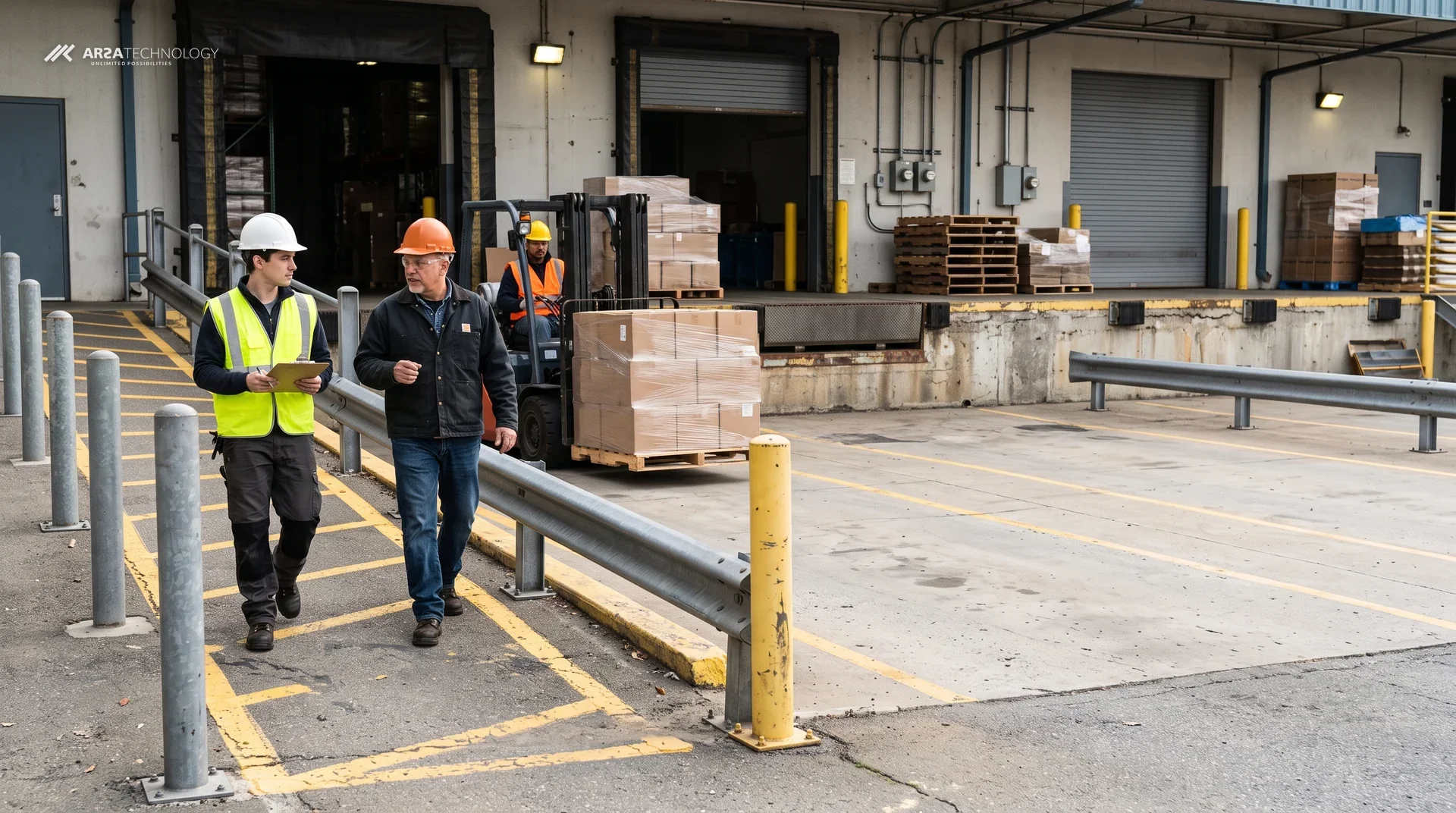
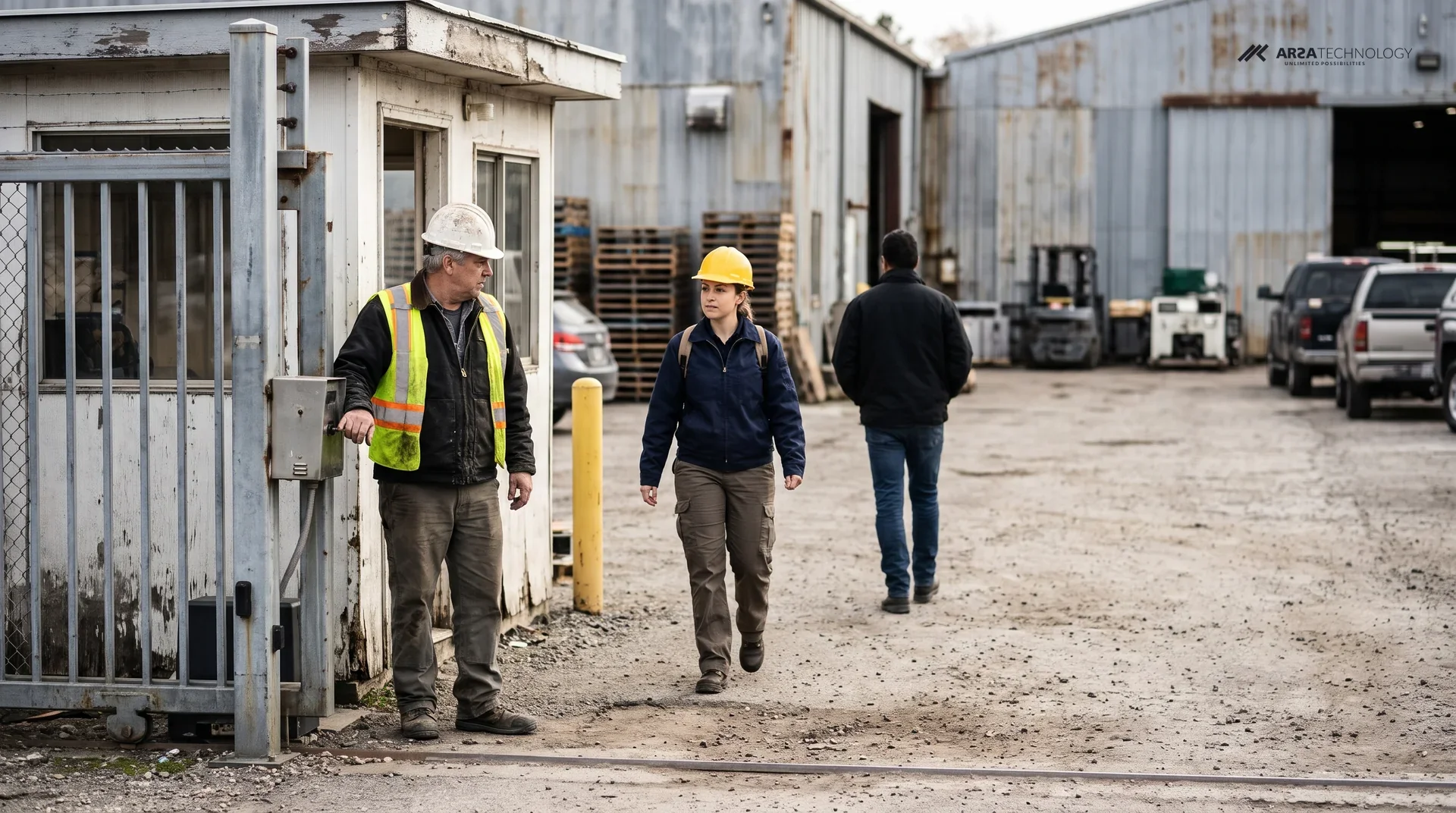
A worker walks up to a site gate with a baseball cap on instead of a hard hat. Basic Safety Guard has to answer two questions about that moment: whether the person is inside a zone where a helmet is required, and whether what is on their head is a helmet. This deep dive follows that one decision from the camera frame to the alert, using ARSA's own footage. It covers the order the product works in, what it needs from the camera and what it leaves to people.
SEEN ON FOOTAGE
What A Helmet Detection Looks Like On Screen
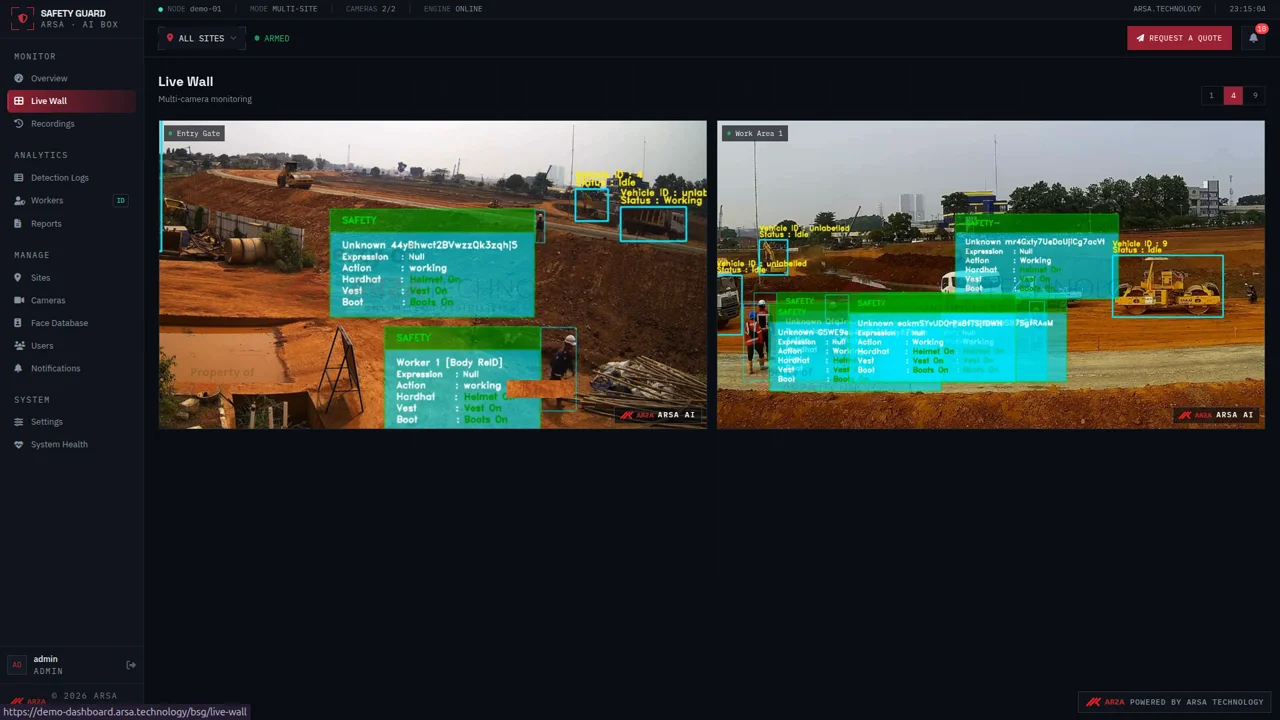
Basic Safety Guard draws a box around each person it finds and gives that person a PPE status: helmet, vest and boots, each present or absent. The clip below is from ARSA's demonstration footage of a construction site. Watch the panel next to the tracked worker. The helmet status belongs to that one person and moves with them, and it does not apply to the whole frame.
The demo camera is high above a wide site, which suits showing many workers and vehicles at once. The gate installation in ARSA's camera standard is lower and looks at people as they walk towards it, for the reasons in the camera section below. The sequence of the decision is the same in both.
HOW IT DECIDES
The Four Steps Between A Frame And An Alert
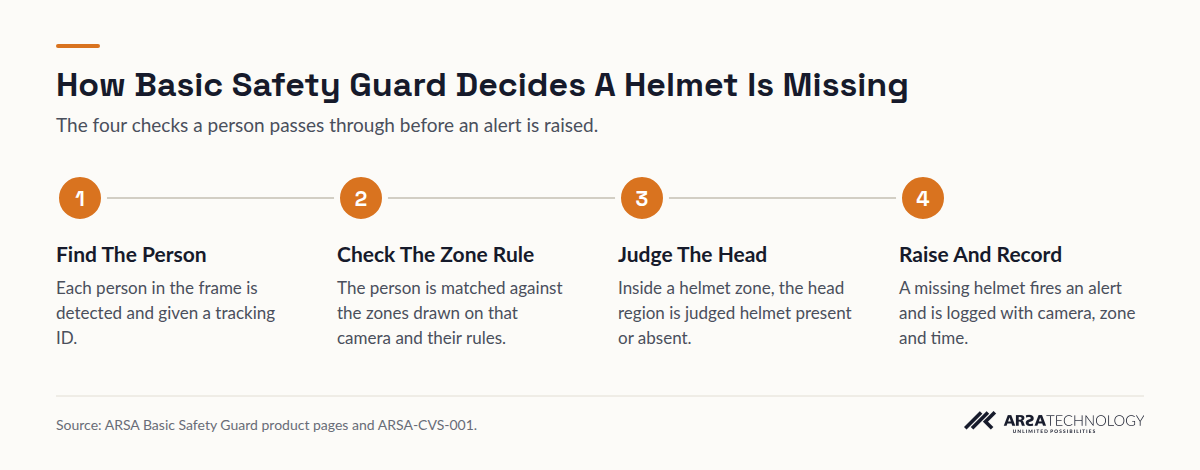
Basic Safety Guard finds the person first, then checks whether they are in a zone with a helmet rule, then judges their head, and only then raises an event. If any step fails, no alert is raised. A person outside a helmet zone, or a head the camera cannot resolve, does not count as a violation.
Read As Text
- Find The Person Each person in the frame is detected and given a tracking ID.
- Check The Zone Rule The person is matched against the zones drawn on that camera and their rules.
- Judge The Head Inside a helmet zone, the head region is judged helmet present or absent.
- Raise And Record A missing helmet fires an alert and is logged with camera, zone and time.
Step One: Find The Person
The product's first job is to see a person. The helmet comes later. People and vehicles are tracked as separate objects. In the demo, each worker gets an ID that stays with them as they move. ARSA publishes one accuracy figure for this stage: AR-GenModel-v17 detects people at 0.803 AP50 on the COCO dataset, tested on 11 November 2026 and listed on the benchmarks page. That figure covers finding people. The helmet check that follows has its own row on the same page: 98.2% of hard-hat decisions correct on the SHWD dataset.
Step Two: Check The Zone Rule
A person is checked against the zones drawn on that camera during setup. Each zone has its own rule, so one camera can require a helmet on the gate approach and nothing at the guard hut window. When a person without a helmet stands outside every helmet zone, no event is raised. This is why the zones should be drawn with care. A zone that covers the visitor car park produces alerts nobody on site will act on.
Step Three: Judge The Head
Inside a helmet zone, the product looks at the region of the person's head and decides whether a helmet is present or absent. This is where a cap, a hood or a bandana must be told apart from a hard hat. The difference is structural: the rigid dome, the brim or peak and the outline of the shell against the head. ARSA's camera standard sets 262 pixels per metre at the target as the minimum for this task, because below that density the camera does not record enough detail to separate a hard shell from soft headwear. A camera below that line cannot be fixed by better software, because the information was never captured.
Step Four: Raise And Record The Event
Once a person in a helmet zone is judged to have no helmet, the event fires. It can go to the dashboard, a siren relay, a webhook or the alerting stack the site already runs. The software edition describes each event as carrying the camera, the zone, the detection class and a confidence score. Every event is logged with a timestamp, so a compliance report can be built from the record without anyone watching recordings.
THE OPERATOR'S VIEW
What The Safety Team Sees Afterwards
Each violation becomes a row in the Detection Logs with a cropped photo of the worker, so a supervisor can confirm it in seconds without opening the full video. The log also lists the worker ID, the camera, the first time they were seen and a compliance percentage for helmet, vest and boots.
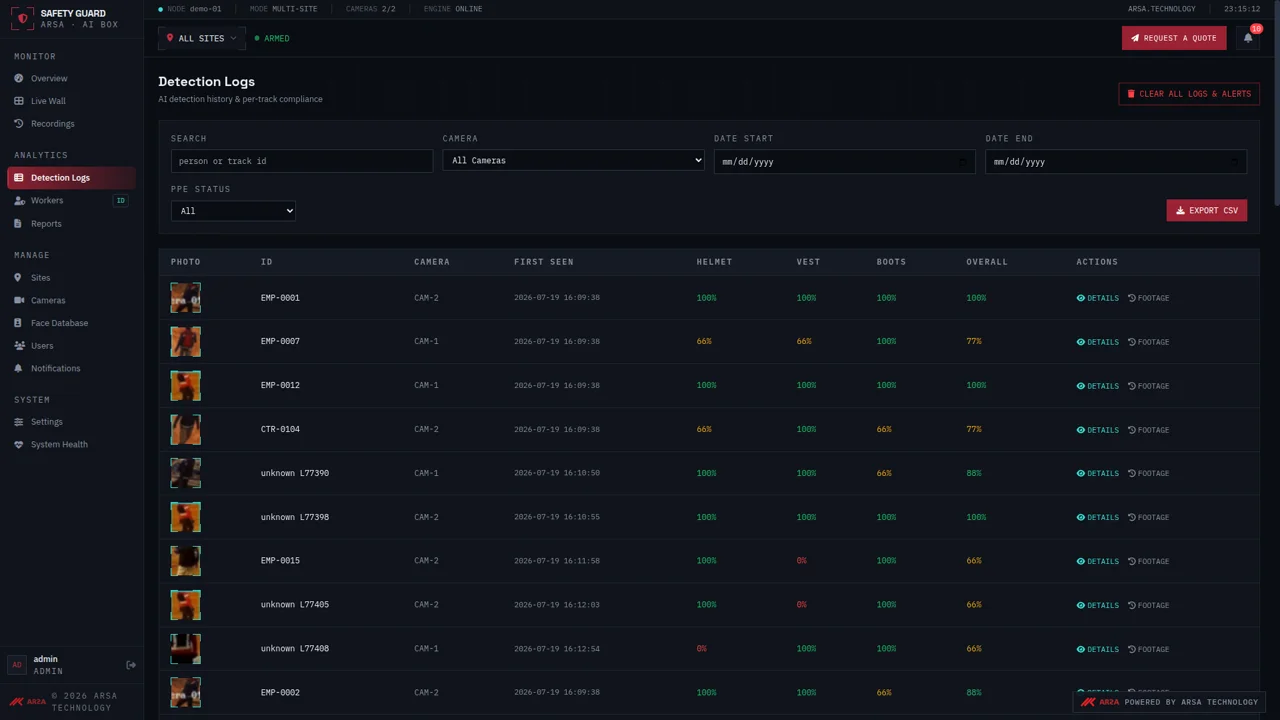
The cropped photo matters more than the alert. A supervisor can see straight away whether the system caught someone in a cap or flagged a worker holding their helmet at their side on the way to the locker room. Both cases are worth knowing. The first is a coaching conversation, and the second may call for a smaller zone. Reports run daily and weekly and export to PDF or Excel. The dashboard also tracks repeat offenders and violations by hour.
Video stays on site. Detection runs on the appliance. Only event data crosses the network, and small cropped images only where they are switched on. That helps a site that has to answer to UK GDPR, Singapore's PDPA or the UAE's PDPL about where worker images are kept.
THE CAMERA
What The Gate Camera Needs For Helmet Detection
A helmet decision needs 262 PPM at the point where people are judged, a tilt of 10 to 25 degrees below horizontal, and at least 50 lux of light on the person. These come from ARSA-CVS-001, ARSA's camera and site standard, published on the system requirements page. They are stricter for helmets than for most other analytics because a helmet is small and its shape is what matters.
| Requirement | Value For Helmet Detection |
|---|---|
| Pixel density at the target | 262 PPM minimum |
| Reach on a 2 MP camera, standard 60 degree lens | 6.3 m |
| Reach on a 4 MP camera, standard 60 degree lens | 8.4 m |
| Optimal tilt below horizontal | 10 to 25 degrees |
| Maximum tilt for helmets | 35 degrees |
| Tilt that is prohibited for PPE | Steeper than 45 degrees |
| Yaw ceiling for PPE | 45 degrees |
| Light at the target | 50 lux minimum |
| Camera minimum | 2 MP, 15 fps (4 MP recommended) |
| Outdoor cabinet rating | IP66, with IK08 recommended |
The standard's accepted reference case is a gate: a camera mounted at 3.5 m, set back 6.0 m from the far gate line and tilted 22 degrees, looking straight at people as they approach. From that position the helmet, the vest and the torso face the camera, and the far line still reaches 262 PPM.
Two mistakes reject most gate cameras. The first is height. A camera mounted high to stop tampering looks down on the tops of heads and sees little of the brim or outline. The standard notes that a 6 m mount cannot detect helmets closer than about 7 m from its own base. The second is distance. Pixel density halves each time distance doubles, so a 2 MP camera with a 4 mm lens gives 96 PPM at 14 m, far short of 262. The fix is a longer lens or a second camera. Tuning the model will not help. The lens and field of view visualiser shows the trade between focal length and coverage before anyone climbs a ladder.
Light is the remaining condition. Helmet detection needs 50 lux on the person. Vest detection and any rule that depends on colour also need white light at night, because an infrared image is monochrome. A gate that checks both helmet and vest after dark needs white light on the approach.
THE LIMITS
What It Does Not Check, And What People Still Do
Basic Safety Guard confirms that a helmet is on a head inside a zone. It does not confirm that the helmet protects the worker. Under 29 CFR 1926.100, OSHA requires construction employers to provide helmets that meet ANSI Z89.1 where there is a risk of head injury from impact, falling or flying objects, or electrical shock (OSHA; Cornell LII). A camera cannot read the standard marking, the type and class, the manufacture date stamped inside the shell, a crack or a worn suspension. Inspection and replacement stay in the site's PPE programme. Under the UK's Personal Protective Equipment at Work Regulations 1992, keeping equipment maintained and in good repair is also the employer's duty.
It also does not check whether a chin strap is fastened, whether the helmet is worn back to front, or whether it fits. A worker carrying a helmet in their hand is judged by what is on their head. If a head is hidden behind another worker, a vehicle or a gate post, the product cannot judge it, and no amount of resolution fixes a blocked line of sight.
Accuracy drops when the standard's conditions are not met. The standard gives the size of the drop for tilt: 25 to 35 degrees is acceptable with accuracy 5 to 15% lower, 35 to 45 degrees is degraded with accuracy 15 to 35% lower, and steeper than 45 degrees is prohibited for PPE. ARSA's published helmet figure, 98.2% of hard-hat decisions correct on the SHWD dataset, is a laboratory result on public images. Accuracy in a contract applies only to detection zones recorded as accepted in the Site Acceptance Record. If a camera is moved, the light changes or racking blocks the view, that zone goes back to unaccepted until it is surveyed again. A buyer who wants to know how well it works on their own gate should ask for a feasibility assessment on their own footage.
Finally, an alert does not stop a person walking through a gate. The product reports. Someone on site still has to act on the siren, the message or the morning report. That person, and how quickly they respond, decides how much the system is worth.
WHERE IT RUNS
Delivery Outside Indonesia
ARSA delivers Basic Safety Guard outside Indonesia. Where visa conditions stop ARSA engineers from travelling, a qualified local partner installs it under ARSA's supervision. A Remote Camera Design Review takes one week and returns a pass or fail for each existing camera position before anything is installed. An On-Site Camera Survey covers up to 50 cameras. Both are listed on the services page.
FAQ
Questions About Helmet Detection At The Gate
How Does AI Detect A Missing Hard Hat On Camera?
It finds each person in the frame, checks whether they are in a zone where a helmet is required, and then judges whether a helmet is on their head. Only a person inside a helmet zone with no helmet raises an alert. The alert goes to a dashboard, a siren relay or a webhook, and is logged with the camera, the zone and the time.
Will A Baseball Cap Or A Hood Be Mistaken For A Hard Hat?
Not when the camera meets the standard. Telling a hard hat from a cap or hood needs 262 pixels per metre at the target. At that density the rigid shell and brim are visible. Below it, soft headwear and a helmet can look too alike, which is why the density requirement is set where it is.
How Far From The Gate Can The Camera Be?
On a 2 MP camera with a standard 60 degree lens, helmet detection reaches 6.3 m, and on 4 MP it reaches 8.4 m. A longer lens extends the reach and covers a narrower area. ARSA's reference gate is a 3.5 m mount set back 6.0 m at a 22 degree tilt.
Can Hard Hat Detection Check The Helmet's Date Or Condition?
No. It confirms that a helmet is worn. It cannot read the manufacture date, the ANSI marking or the type and class, and it cannot see damage to the shell or suspension. Those checks belong in the site's regular PPE inspection.
Does It Work At Night?
Yes, for helmets, if the person is lit to at least 50 lux. Vest detection and any colour rule need white light at night, because infrared gives a monochrome image.
Can We Use The Cameras Already At Our Gate?
Often you can, if the camera is at least 2 MP and 15 fps and its position meets the density and tilt limits. Steep overhead cameras are the most common reason a gate camera fails. Above 45 degrees the camera is not usable for PPE.
For how this is set up on a real site, see the PPE detection camera system page, and get in touch if you would like your own gate cameras reviewed.