
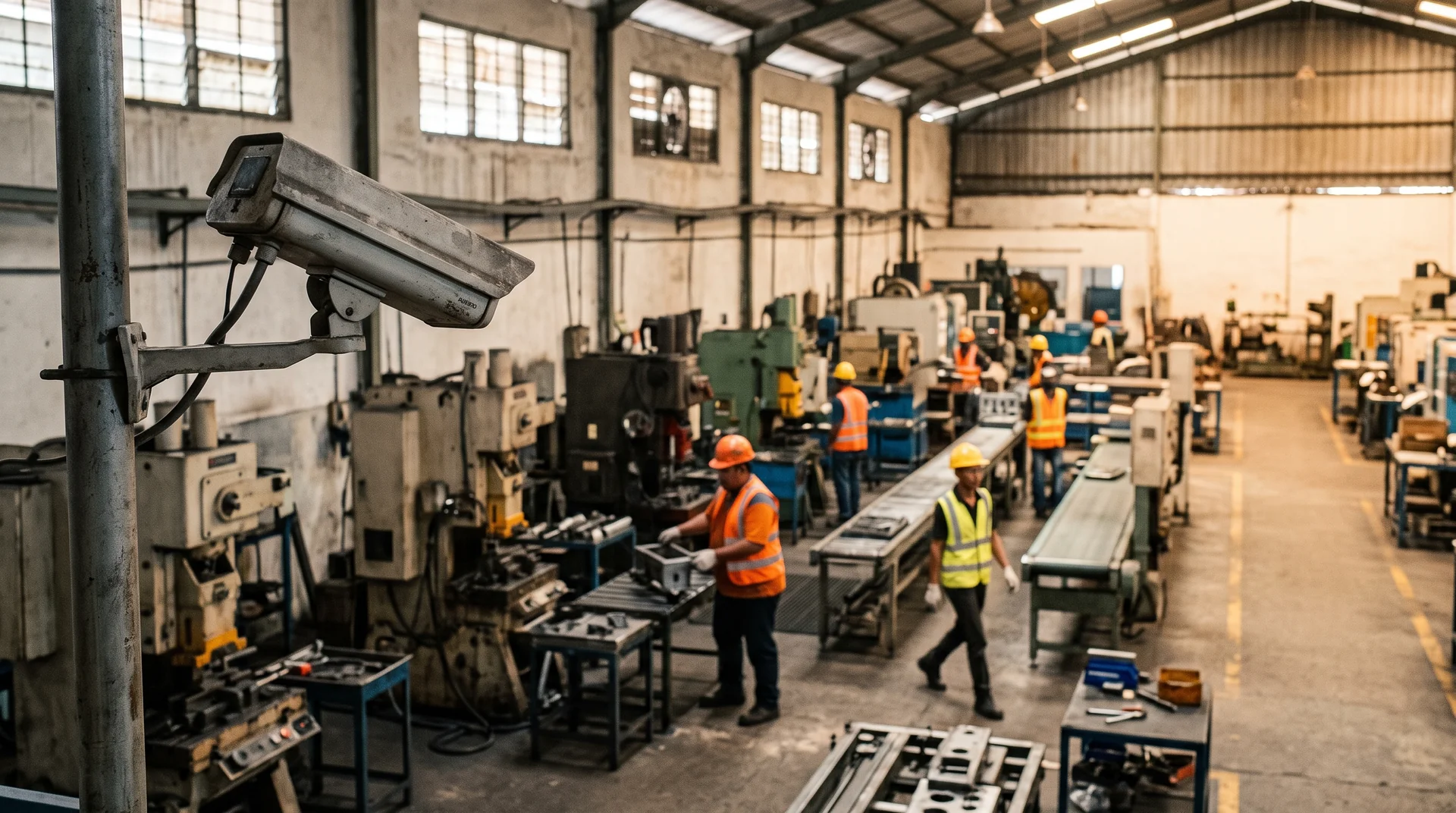
Most sites asking about an AI box already have a camera on every gate and a recorder in a comms room. The ARSA AI Box Series reads the video streams those cameras already produce, over ONVIF or RTSP, and runs detection on the appliance itself. Whether any camera needs replacing comes down to four checks per position: resolution, frame rate, mounting angle and light.
HOW IT CONNECTS
How An AI Box Connects To Existing CCTV
An AI box joins your camera network as one more client. It pulls the same live stream your recorder already receives and runs detection on site, so cameras, cabling and the recorder stay where they are.
ONVIF describes a Profile S device as one that sends video over an IP network to a client that can configure and request the stream. Your NVR or VMS is already one such client. The AI Box becomes a second one. Nothing in the existing recording path changes, and the box does not record. It keeps event metadata and detection snapshots on the unit, and long-term video stays on your NVR or VMS.
Setup has three steps. Connecting power and network and pointing the unit at the camera streams takes about 15 minutes. Drawing detection zones, setting thresholds and choosing where alerts go takes about 45 minutes. Alerts can go to the local dashboard, a webhook, email or your existing alerting stack. After that, events fire in real time. The unit runs fully offline by default, and cloud connectivity stays off unless you turn it on.
THE CAMERA CHECK
Which Existing Cameras Qualify
An existing camera qualifies if it is an ONVIF Profile S IP camera streaming at least 2 MP at 15 fps in H.264, mounted at an angle and distance that put enough pixels on the target. When a position fails, the cause is usually geometry, and a sharper sensor alone rarely fixes that.
ARSA’s camera and site standard, ARSA-CVS-001, sets these figures. The full version is on the system requirements page.
| Item | Requirement |
|---|---|
| Camera type | ONVIF Profile S IP camera, H.264 High Profile |
| Resolution | 2 MP minimum, 4 MP recommended |
| Frame rate | 15 fps minimum |
| Pixel density at target | 262 PPM for helmets, 153 PPM for vests |
| Helmet detection range, 60 degree lens | 6.3 m on 2 MP, 8.4 m on 4 MP |
| Vest detection range, 2 MP, 60 degree lens | 10.9 m |
| Vehicle counting range, 2 MP | 24.9 m |
| Tilt below horizontal | 10 to 25 degrees optimal, 35 maximum for helmets, 40 for vests, steeper than 45 prohibited |
| Light at target | 50 lux minimum |
| Outdoor cabinet | IP66, IK08 recommended |
| Network | Isolated VLAN, Cat 6, 1 Gbps, uplink below 70% at peak, PoE with 25% headroom |
For a quick check against a real camera, use the accepted reference case: a camera mounted at 3.5 m, looking at a point 6.0 m away, tilted 22 degrees down. It sits inside every limit above for helmet detection on a 2 MP camera. The lens and field of view visualizer shows how your own mounting height and lens compare.
A note on older analog systems: ARSA’s published requirement names IP cameras. ONVIF lists video encoders as Profile S devices too, but if your cameras run on coax into a DVR, raise it with ARSA during the design review. Don’t assume it will work.
WHAT USUALLY GOES WRONG
Three Reasons A Legacy Camera Fails The Check
Security cameras are usually installed for overview and evidence, and that placement often works against detection. Three problems come up again and again.
Mounted Too Steep
Cameras placed high under eaves and aimed almost straight down see the tops of heads. Beyond 45 degrees the wearer’s own body hides the equipment, which is why the standard prohibits it. The fix is to re-aim the camera or add a lower one at the same gate.
Too Far For The Lens
Helmet detection needs 262 pixels per metre on the target. That limits a 2 MP camera with a 60 degree lens to 6.3 m, and even an 8 MP camera with the same lens reaches only 12.7 m. A longer focal length or a closer camera fixes this. A higher resolution sensor helps less than buyers expect.
Infrared At Night
Under infrared the camera produces a monochrome image, so vest detection and any colour-coded rule stop working. Night operation for vests needs white light, at a minimum of 50 lux at the target.
SIZING AND COST
Choosing Between The Mini And The Server
Choose the Mini for up to three cameras at one location, and the Server when up to 25 cameras route back to one comms room or control room. Above 25 streams, the Server Pro is quoted by stream count and frame rate.
| System | Cameras | Appliance Price |
|---|---|---|
| AI Box Mini | Up to 3 | $1,890 |
| AI Box Server | Up to 25 | $10,900 |
| AI Box Server Pro | More than 25 | Quoted |
The appliance price covers a pre-imaged and configured unit, mounting hardware and power supply, the local dashboard, a remote setup session and a 12-month hardware warranty. Analytics are licensed per camera. Safety Guard is $45 a month on subscription, or $1,350 perpetual with optional maintenance of $243 a year. Traffic Monitor, Retail Counter and the DOOH Audience Meter cost less per camera. A Mini running Safety Guard on three gate cameras therefore costs $1,890 once plus $135 a month. If the licences are bought outright, it costs $1,890 plus $4,050.
Plan the network load too. A 2 MP main stream at constant bitrate uses about 2.48 Mbps, and a 4 MP stream about 4.4 Mbps, so 25 cameras at 4 MP add roughly 110 Mbps on the camera VLAN. That is well inside a 1 Gbps uplink kept below 70% at peak.
Buyers also ask whether the box works on a site with only a cellular router, or with no internet at all. Detection, alerting and the dashboard need only the local link to the cameras. Remote support and model updates need connectivity, or an offline update package.
WHAT STAYS WITH YOU
What The Box Does Not Replace
The AI Box adds detection to a camera system. It replaces nothing in it. The cameras, network switch, cabling, PoE, long-term video storage and any third-party VMS licences remain yours to supply and maintain.
Also excluded from the appliance price are on-site installation labour outside Indonesia, network design and structured cabling, import duty, VAT and customs clearance. Units ship from Surabaya three to four weeks after order. If positions fail the check and you would like ARSA to supply cameras, network and installation, that is a separate turnkey engagement from $12,000, scoped after a design review.
The box is a poor fit for single-camera home or small office use, for buyers who want a cloud VMS with storage, and for sites where cameras cannot meet the minimum specification and cannot be replaced.
BEFORE YOU BUY
Getting A Pass Or Fail For Each Camera
ARSA will check your existing cameras position by position before you commit to hardware. The result is a pass or fail per camera, with any remediation priced.
A Remote Camera Design Review costs $1,500 and takes one week, working from your camera list, snapshots and mounting details. An On-Site Camera Survey costs $4,500 plus travel and covers up to 50 cameras. Either fee is deducted from the project fee if you contract within 90 days. Both are described on the services page.
FAQ
Common Questions About Adding AI To Existing CCTV
Do I Need To Replace My Existing CCTV Cameras To Add AI Detection?
Usually no. A camera that streams ONVIF Profile S video at 2 MP and 15 fps or better qualifies on hardware. Whether it works for a given detection then depends on its distance to the target and its mounting angle. A design review returns a pass or fail per position.
Can An AI Box Work With Analog Cameras Behind A DVR?
Ask ARSA before you plan on it. The published requirement is ONVIF Profile S IP cameras. Coax cameras into a DVR are outside what ARSA states, so treat them as a question for the design review.
Does The AI Box Record Video Or Replace My NVR?
No. The box analyses live streams and stores event metadata and detection snapshots on the unit. Your NVR or VMS keeps recording and keeps the retention you already have.
Will It Work On A Site With No Internet Connection?
Yes. Detection, alerting and the local dashboard all run offline, and cloud connectivity is off by default. Only remote support and model updates need a connection, or an offline update package.
How Much Does An AI Box For Existing CCTV Cost?
The appliance is $1,890 for up to three cameras or $10,900 for up to 25, plus per camera analytics licences. Safety Guard, for example, is $45 a month or $1,350 perpetual per camera. Cameras, network hardware and storage are excluded.
How Long Does Setup Take Once The Box Arrives?
About an hour for a configured site. That is roughly 15 minutes to connect power, network and camera streams, then about 45 minutes to draw zones, set rules and route alerts. Lead time from order is three to four weeks.
NEXT STEP
See Which AI Box Fits The Cameras You Run
If you have a camera list and a rough idea of where each one points, you have enough to start. Compare the Mini and Server models, the licensing options and what comes in the box on the ARSA AI Box Series page. Then book a design review to get a pass or fail on every position before you order.